



A 30-minute commute, walk, or household task can disappear without one chance to hear a question and try to remember the answer. Audio cannot replace every kind of practice, but it can recover study time when looking at a screen is not safe or practical.
Memly 2.0 brings card read-aloud, prepared audio for a group of cards (an audio deck), audio-assisted Quick Review, and Review Radio into one way to study by listening. Each option serves a different level of attention, from listening to one card side to playing a generated review episode.
These features are available on the web, on iOS, and on Android. What you see may still vary by device and app version.
Four ways to listen in Memly 2.0
| Audio option | What you hear | Useful situation |
|---|---|---|
| Card read-aloud | The currently visible side of a question-and-answer (Q&A) card | Pronunciation support or a single difficult card |
| Audio deck | Prepared question-and-answer audio for a group of cards (a deck) | Repeated listening within normal Q&A study |
| Audio-assisted Quick Review | Front, thinking pause, back, then the next card | Reviewing several cards without looking at the screen |
| Review Radio | A generated episode based on selected flashcards | Longer listening during a commute, walk, or routine task |
Read the current card aloud during Q&A
The smallest audio action is a read-aloud button in Q&A study. It follows the visible side, so the question can be heard before the answer is revealed and the answer can be heard afterward. The feature is available while studying in Q&A mode on Web and mobile.
Memly saves generated audio so it does not need to be recreated every time you study. When you edit a card, Memly does not play outdated audio for the changed text. You can choose an automatic voice or select a female or male voice according to preference.
Turn a deck into an audio deck
A deck can be set up for audio when it is created or later. Memly then prepares audio for card questions and answers without requiring you to keep that screen open. During Q&A study, the visible side can play automatically, reducing the need to tap the read-aloud control for every card.
Audio preparation does not change the card’s content or when Memly will show it for review. It only changes how you receive the same question and answer. Listening remains most useful when you pause and try to produce the answer before hearing it.
Add audio to Quick Review
Standard Quick Review shows both sides and advances automatically without rating your answers or changing when Memly will show the cards again. The audio-assisted version adds a listening sequence:
- Play the front of the card.
- Leave a short interval to think.
- Play the back of the card.
- Continue to the next card.
On mobile, the sequence can continue when you switch apps or lock your phone. Changing playback speed does not require the card audio to be generated again. Quick Review can help you become familiar with a deck and scan its contents, but it does not replace reviews where you first try to answer and then rate how well you remembered.
Generate a Review Radio episode from selected study material
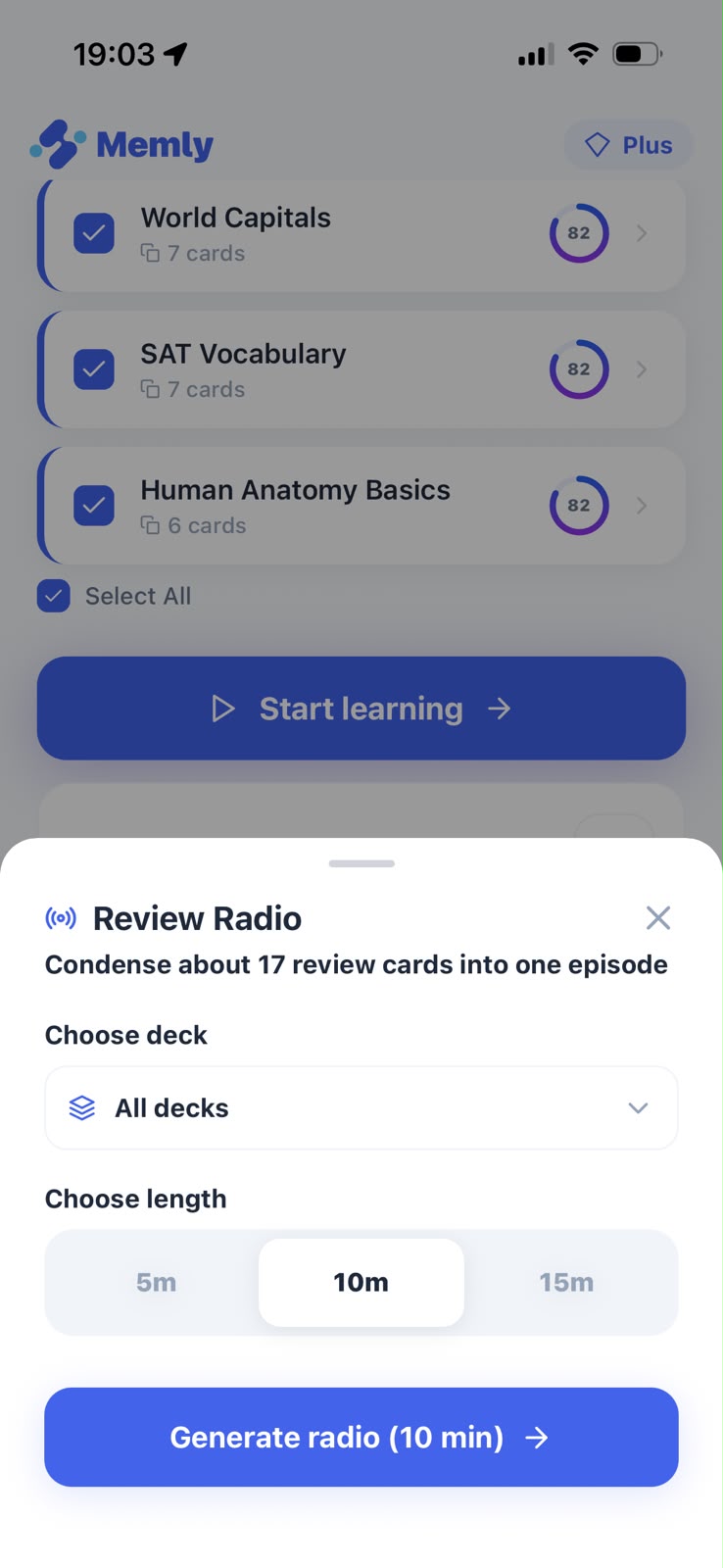
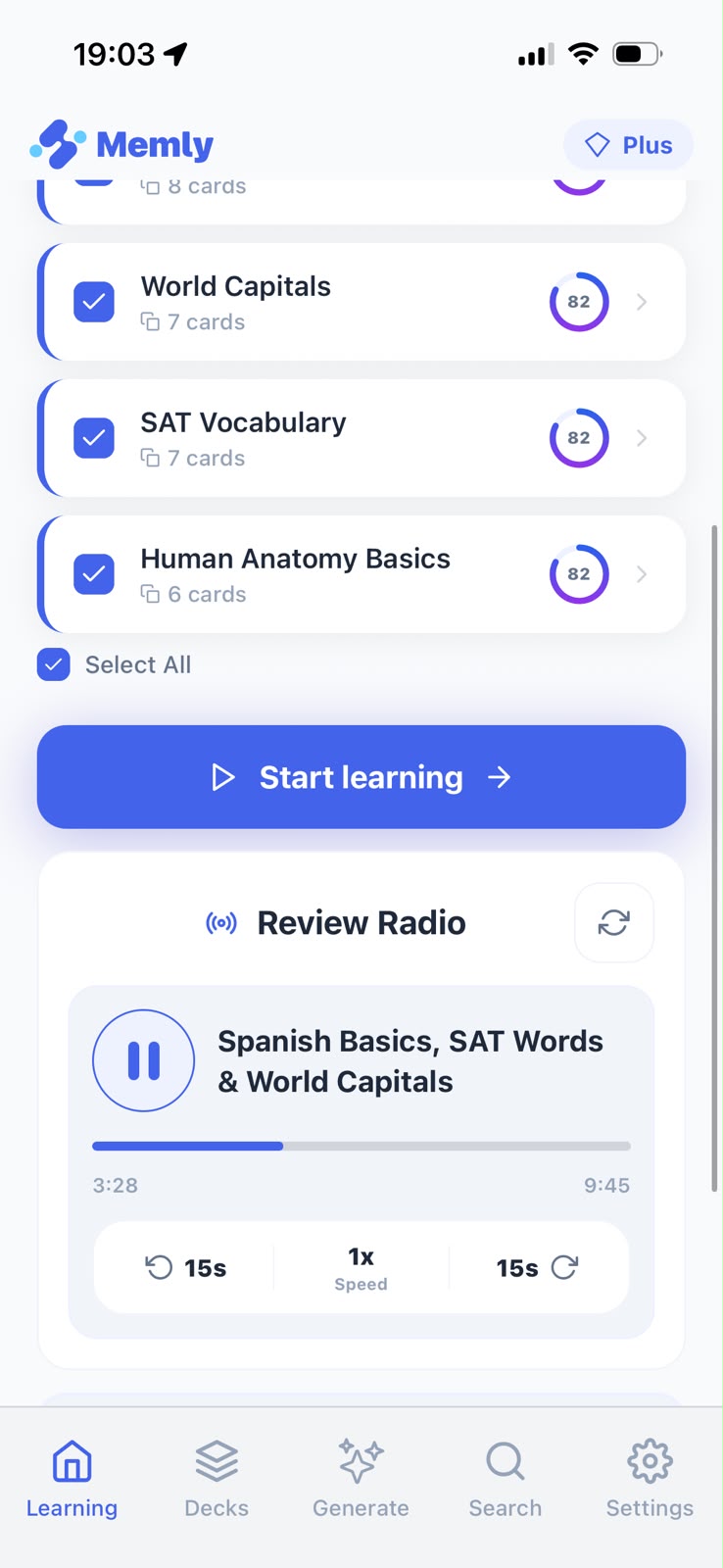
Review Radio is now available as a listening option when you choose how to study, rather than only from the home screen. You choose an approximate episode length, and Memly creates an episode close to that duration from the selected material.
On mobile, you can download an episode before playback, hear shorter pauses between sections, receive a notification when it is ready, and see whether it is still being created or could not be created. Downloaded Review Radio episodes can play without an internet connection, including when you switch apps or lock your phone. Creating a new episode still requires an internet connection.
Audio works best when you pause and try to answer
Listening can become another form of passive review if the answer arrives before you try to remember it. Keep the attempt to answer with a simple routine:
- Listen to the question.
- Pause long enough to form an answer.
- Listen to the back and compare it with your answer.
- Mark difficult cards to answer again later while looking at them.
Audio is strongest when it changes where review can happen without removing the moment when you try to remember.
Choose audio material by what you may forget or by a deadline
Audio does not have to start with a whole deck. Use filters for cards you are less likely to remember to find studied cards that are weakening, or use Exam Mode to keep a deck aligned with a fixed date. If you first need to build the deck, the Memly 2.0 card-generation guide covers documents, ranges, and multiple images.
Start with one short listening block
Do not convert every deck before learning whether audio fits your day. Choose one familiar deck, try one short audio-assisted review, and note which cards still require a screen. You can compare the visual options in our Memly 2.0 study-mode guide.
The Memly 2.0 release overview connects audio to the wider study process. For the research behind trying to remember before looking and reviewing again over time, see our guide to memorization with artificial intelligence (AI).
