



If a group of 500 cards (a deck) contains only 40 you are starting to forget, restarting all 500 spends most of the review on cards you still remember. The cost is not just time. The cards you are most likely to forget may still be waiting when the review ends.
Memly 2.0 helps you choose what to study based on which cards you are most likely to forget. Filters, a new memory dashboard, and a more useful card library turn review from “open the whole deck” into “find the next card that needs work.”
These features are available on the web, on iOS, and on Android. What you see may still vary by device and app version.
How likely you are to remember now is different from past accuracy
Past accuracy tells you how often you answered correctly. Memly also estimates how likely you are to remember the answer now. This estimate is called current recall probability. It changes as time passes, even if you have not opened the card again.
Memly uses a scheduling system called Free Spaced Repetition Scheduler (FSRS) 6.0, which uses 21 factors to decide when to show each card again. It considers your past answers and the time since the last review when estimating how strong a memory is. This estimate helps plan reviews; it does not promise that a particular answer will be correct.
| Metric | Question it answers |
|---|---|
| Past accuracy | How often did I answer correctly? |
| Desired chance of remembering | How likely do I want to be to remember this material? |
| Current recall probability | How likely is this studied card to be recalled now? |
| Upcoming review estimate | How many reviews are likely to be due soon? |
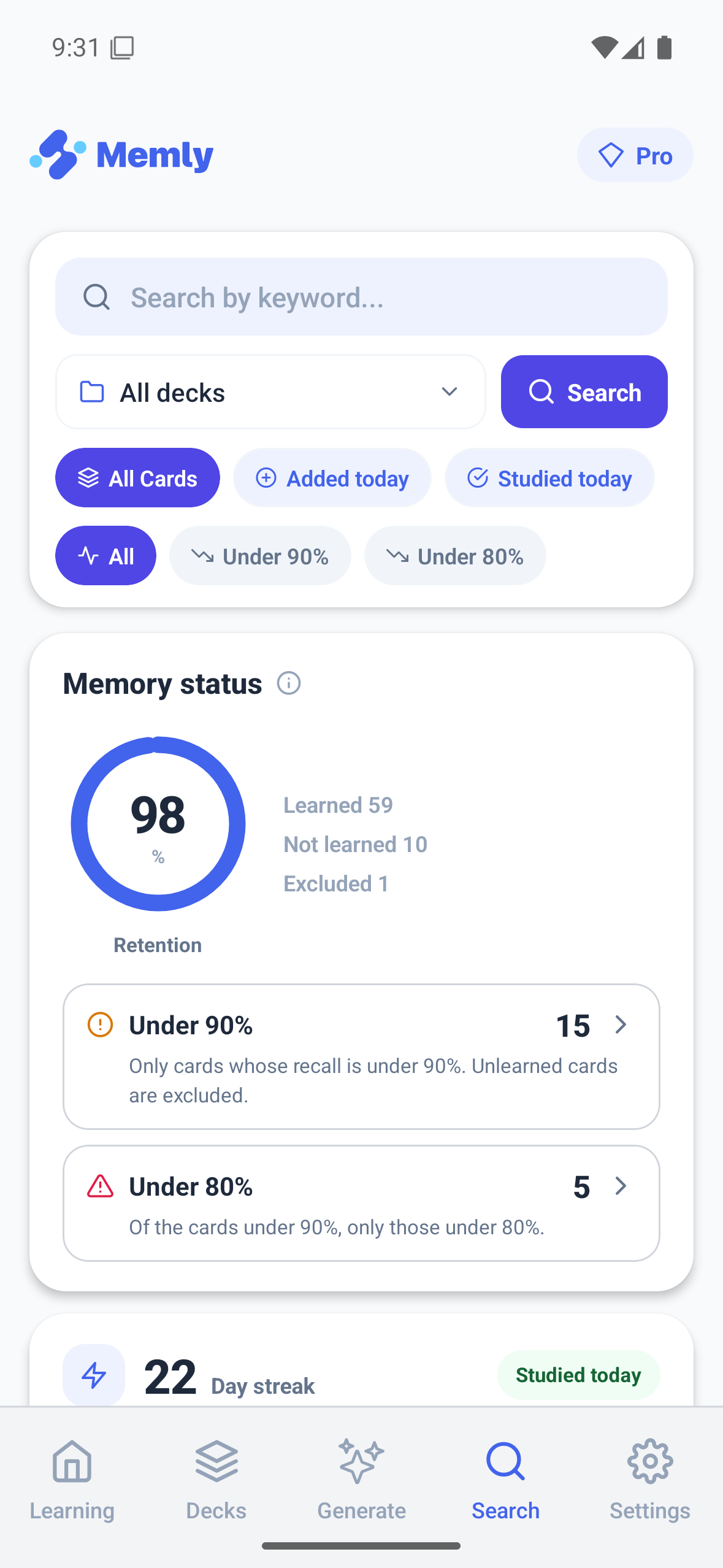
Filter for cards below 90% or below 80%
Memly 2.0 offers three choices based on how likely you are to remember cards you have already studied:
- All cards in the selected group
- Studied cards with a current recall probability below 90%
- Studied cards with a current recall probability below 80%
Unseen cards are not treated as “forgotten.” The filter isolates cards that already have learning history and are now becoming weaker. Within the result, lower-probability cards come first. If you stop early, the review has still spent its first minutes on the highest-risk memories.
Choose the threshold by purpose
The 90% filter is broader. It is useful when you want to catch decline early or have an important deck approaching an exam. The 80% filter is narrower and can work as a focused rescue pass when time is limited. Neither threshold changes the underlying facts on the card. It changes which cards enter the review.
A recall filter helps you decide which cards to study first. It does not replace the reviews Memly schedules to help you remember the deck over time.
See memory status before opening a deck
The Memly 2.0 dashboard brings information that used to require separate screens into one view for planning your study:
- Overall memory status
- Counts below the 90% and 80% recall thresholds
- Current study streak
- A 17-week calendar showing your study activity
- An estimate of reviews due over the next 14 days
- Reviews that were due by today
- Cards that have been forgotten repeatedly
Each memory-status section can open the cards it represents for review. That makes it easier to start working on a problem as soon as you notice it.
Use the card library when the problem needs investigation
A dashboard answers “where should I look?” The card library helps answer “which exact cards are involved?” Search updates as you type, and cards can be filtered by deck, whether they are new or already studied, and how likely you are to remember them. You can sort by that likelihood, the next review date, or the number of times a card was forgotten.
You can study only the cards in the search results and edit an individual card from the list. On Web, bookmarking or reopening the page keeps the same filters, which makes it easier to return to the same view.
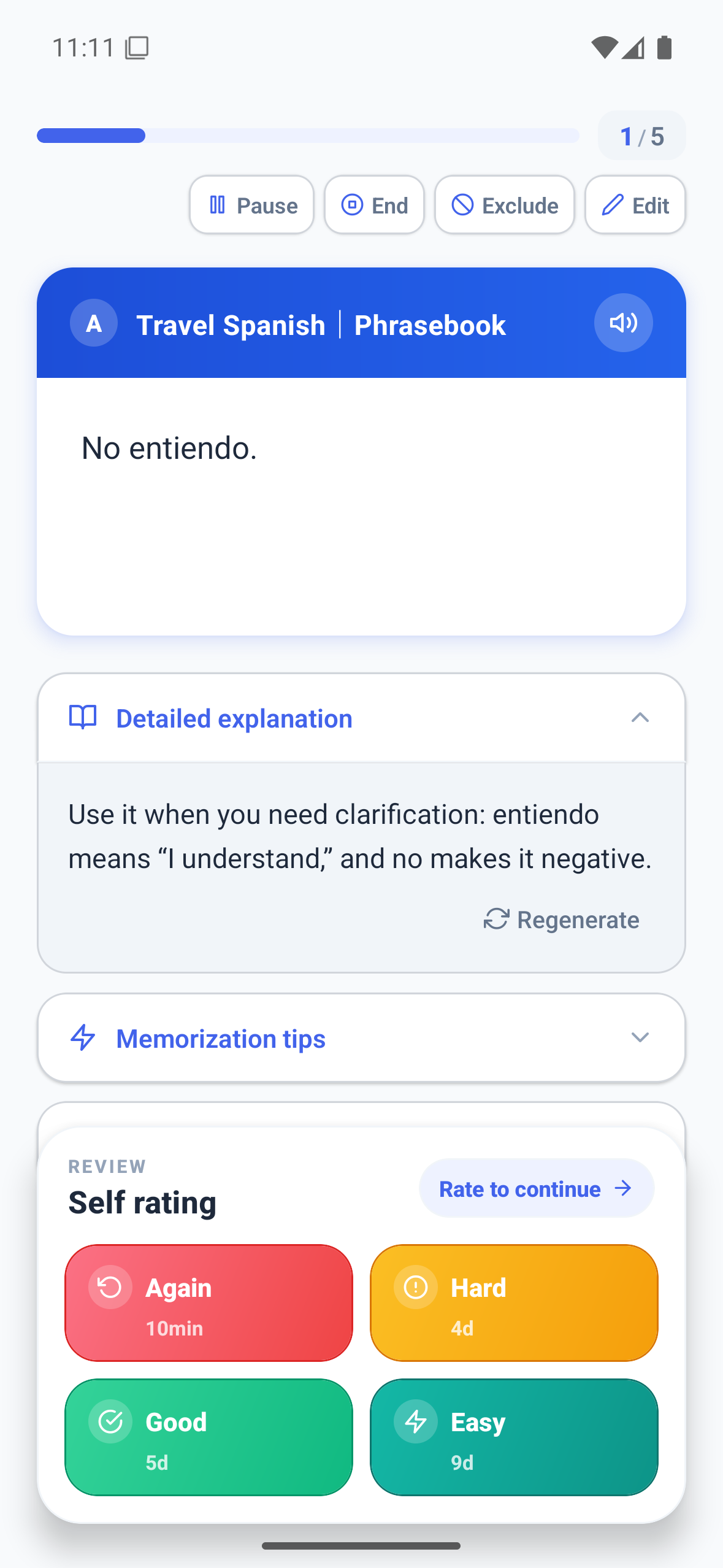
Keep routine reviews separate from extra weak-card practice
Showing cards again over several days works because practice is spread across time. In a 2006 study by Roediger and Karpicke, people who tried to remember the material without looking remembered about 56% after one week, compared with about 42% for people who reread it. The useful step is trying to remember, not merely looking at familiar material.
An extra review of weak cards is therefore most useful alongside your regular reviews. A simple pattern is:
- Complete the cards due today.
- Check the dashboard for a growing weak-card group.
- Review the below-90% or below-80% group when it needs attention.
- Edit cards that remain confusing or repeatedly forgotten.
- Return to the usual review schedule afterward.
Connect memory state to an exam or study mode
If you need to remember the material by a deadline, add it with Memly 2.0 Exam Mode. If you need a different way to study the selected cards, compare question-and-answer (Q&A), multiple choice, true or false, and Quick Review. You can also use audio learning when the screen is not available.
Start with one deck and inspect the cards you are less than 90% likely to remember. The Memly 2.0 release overview shows where this step fits after flashcards created with artificial intelligence (AI). For the research behind this approach, see our guide to AI-assisted memorization.
