



Moving through 200 cards is not the same as trying to remember 200 answers before looking at them. A familiar-looking card can create the feeling of progress while leaving the answer unavailable when a blank exam page asks for it.
Memly 2.0 makes the purpose of each study mode clearer. You can use question-and-answer (Q&A), multiple choice, true or false, or Quick Review, then edit a card without leaving your review when the material itself needs a correction.
These features are available on the web, on iOS, and on Android. What you see may still vary by device and app version.
The four Memly 2.0 visual study modes
| Mode | Main action | Best fit |
|---|---|---|
| Q&A | Try to remember an answer, reveal it, and rate how well you did | Remembering an answer without hints and rating the result |
| Multiple choice | Select an answer from alternatives | Learning to tell similar ideas apart |
| True or false | Judge a statement before seeing the result | Fast checks of claims and definitions |
| Quick Review | See both sides while cards advance automatically | Previewing a group of cards (a deck), returning after a break, or reviewing briefly |
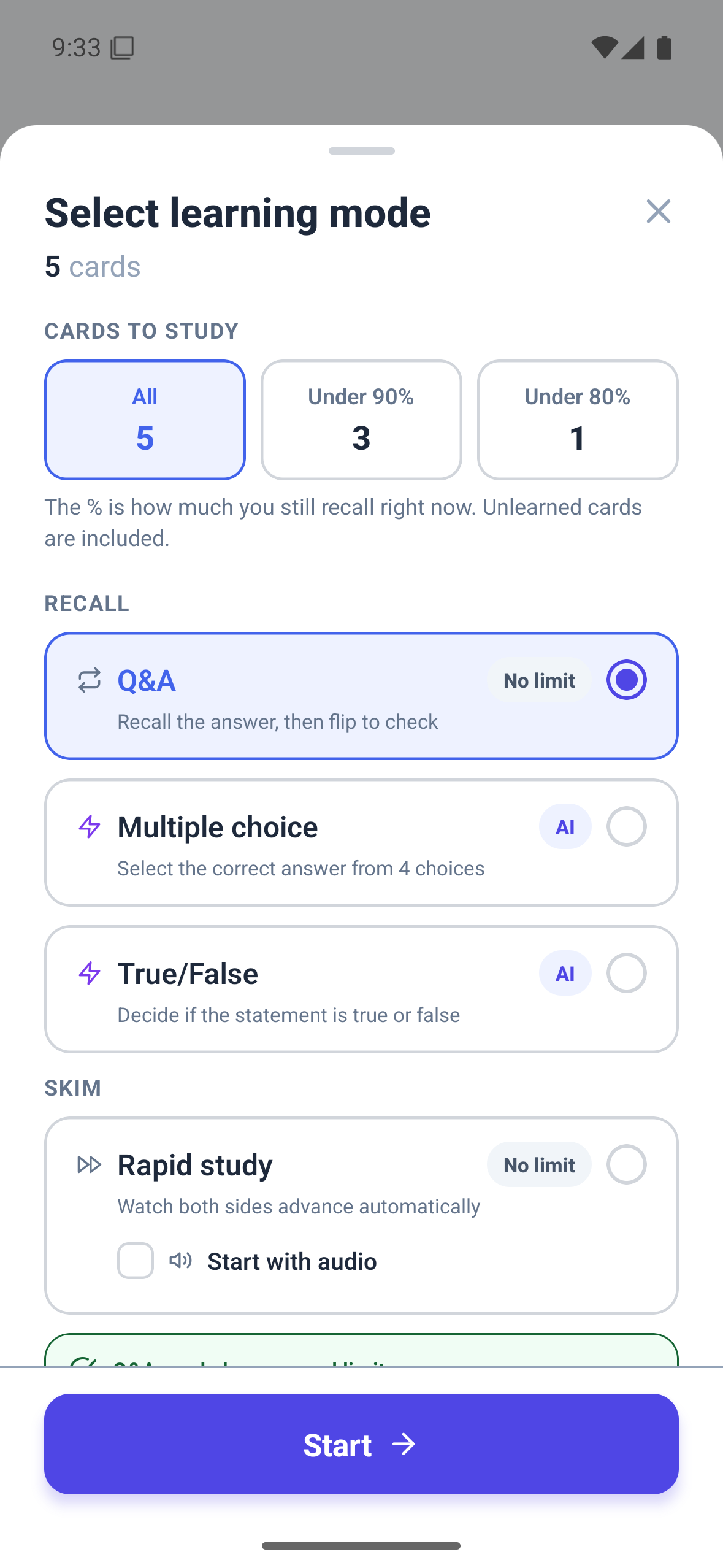
Use Q&A when you need to remember without hints
Q&A creates the cleanest separation between the question and the answer. You try to respond before revealing the back, then rate how well you remembered it. Memly uses that rating to decide when to show the card again.
Research gives stronger support to trying to remember before looking than to rereading when the goal is long-term learning. In Roediger and Karpicke’s 2006 study, people who practised this way remembered about 56% after one week, compared with about 42% for people who reread the material. The important part is trying before seeing the correct answer, even when your answer is imperfect.
Use multiple choice to tell similar answers apart
Multiple choice is useful when the task is distinguishing close alternatives: drug classes, legal exceptions, similar dates, or terms that differ by one condition. Believable wrong choices can expose whether the concept is understood precisely.
Choosing a familiar-looking answer is easier than producing an answer without choices, so one correct choice should not automatically end the learning process. If the exam requires an explanation or a written answer, return to Q&A after the differences are clear.
Use true or false for claims that need a quick decision
True or false works well for rules, definitions, and statements with a clear boundary. It can move quickly while still making you choose before seeing whether you are right.
The limitation is guessing. A correct 50-50 choice is not the same as a clear explanation of the idea. When an item matters, ask yourself why the statement is true or what would make it false before moving on.
Use Quick Review without changing future review dates
Quick Review shows the front and back together and advances according to the amount of text. You can choose slow, normal, or fast speed, pause, and move backward or forward. It is supported on Web and mobile and can work across multiple decks or a group of cards selected by how likely you are to remember them.
Quick Review does not ask you to rate how well you remembered, so it does not change the next review date. It is useful for previewing a new deck, returning after a break, or seeing all the cards before timed practice. Simply looking at cards is not enough to build lasting memory.
Use Quick Review to build a map. Use modes that make you answer first to test whether you can travel the map without looking.
Edit a card without abandoning your review
Studying often reveals problems that were invisible during card creation: a vague question, an answer that is too broad, or a typo that changes the meaning. Memly 2.0 lets you edit cards while studying in Q&A, multiple-choice, and true-or-false modes on Web and mobile.
The corrected card appears immediately in your current review. If you save without changing the card text, existing explanations created by artificial intelligence (AI) remain available.
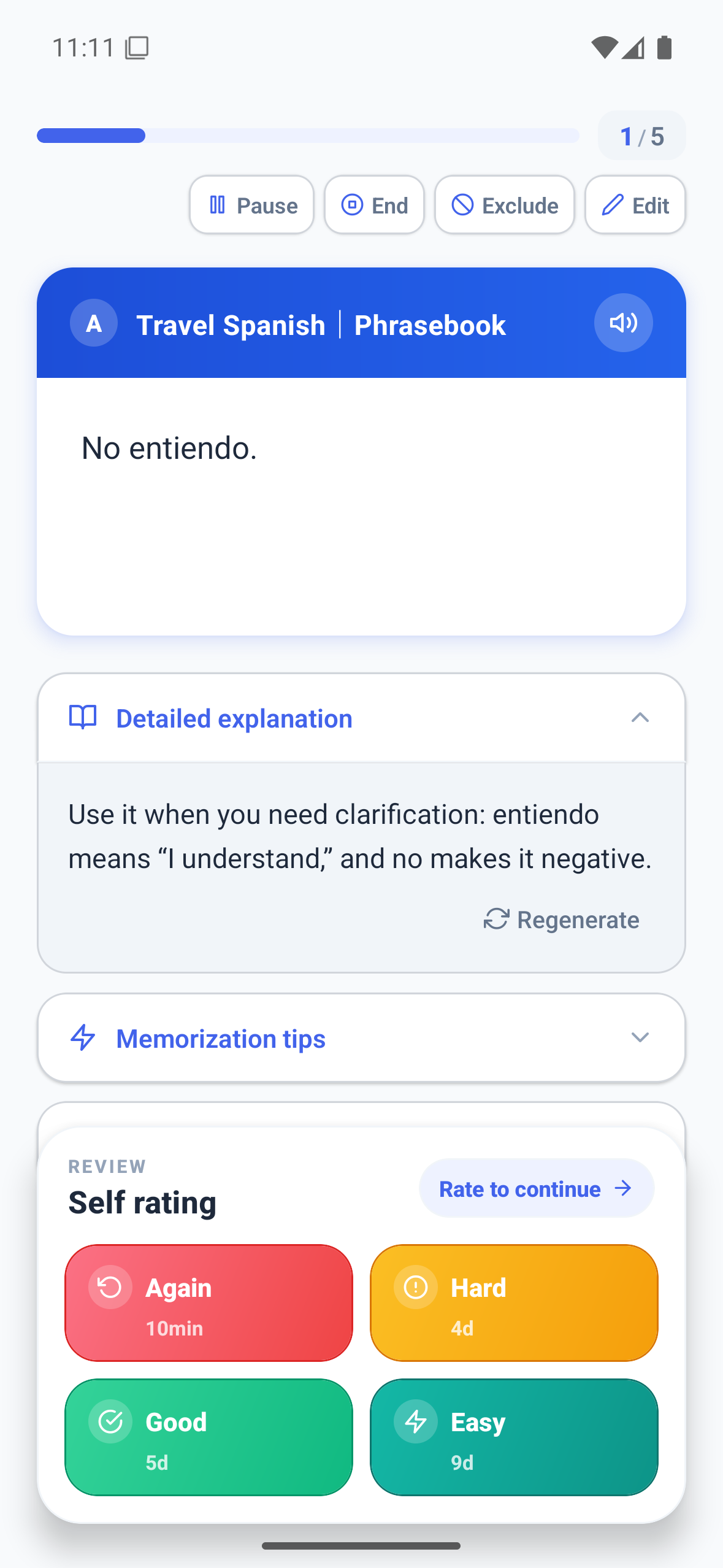
Understand why a card can return during the same review
After you press the Hard or Good rating button, a new card may appear again soon so you can practise it once more. That does not mean Memly ignored a correct answer. Version 2.0 shows how many times the card will appear and whether the previous rating counted as correct, reducing confusion during longer reviews.
Match the mode to the stage of learning
A simple sequence can prevent one mode from doing every job:
- Preview a new or neglected deck with Quick Review when you first need to understand what it contains.
- Move to Q&A to practise answering without hints.
- Use multiple choice or true or false to sharpen difficult distinctions and increase variation.
- Edit unclear cards as soon as the flaw appears.
- Return to the usual schedule so cards reappear over time.
The input to this sequence can come from documents, images, audio, YouTube, or text. You can narrow the cards you review with filters for cards you are less likely to remember or tied to a deadline with Exam Mode.
Pick one mode for the next ten minutes
More choices only help when the next action stays simple. If you need to test whether you can answer without looking, open Q&A. If you need a quick overview of a deck you have not studied recently, run one Quick Review. If the screen is not practical, continue with Memly 2.0 audio learning.
The Memly 2.0 release overview connects these modes to the full study process. For the research on trying to remember before looking and reviewing again over time, read our guide to AI-assisted memorization.
