



Every hour spent rebuilding flashcards, scanning every card in a study set (called a deck) for weak points, or guessing what to review is an hour lost before you try to remember an answer without looking at it. That matters because roughly 70% of newly learned material can be forgotten within 24 hours when it is not reinforced.
Memly 2.0 puts together study tasks that used to require separate steps. You can add study material, turn the relevant parts into cards, find cards you are starting to forget, choose a study mode, and see what is likely to need attention next. It is available on the web, on iOS, and on Android.
What changes with Memly 2.0
Earlier versions of Memly used artificial intelligence (AI) to create flashcards and scheduled each card to return when it was likely to need more practice. Version 2.0 keeps that foundation and connects it to the rest of the study process.
| Part of studying | What Memly 2.0 adds |
|---|---|
| Bring in material | Work from PDF, Word, PowerPoint, images, audio, YouTube, and text |
| Create cards | Select relevant pages, slides, or images before creating cards |
| Choose what to review | Filter studied cards by Memly's estimate of how likely you are to remember them now |
| Prepare for an exam | Show important cards more often as an exam approaches |
| Choose how to study | Answer, scan, edit, or listen depending on the situation |
| See what is happening | See what you are likely to remember, upcoming reviews, and recent study activity |
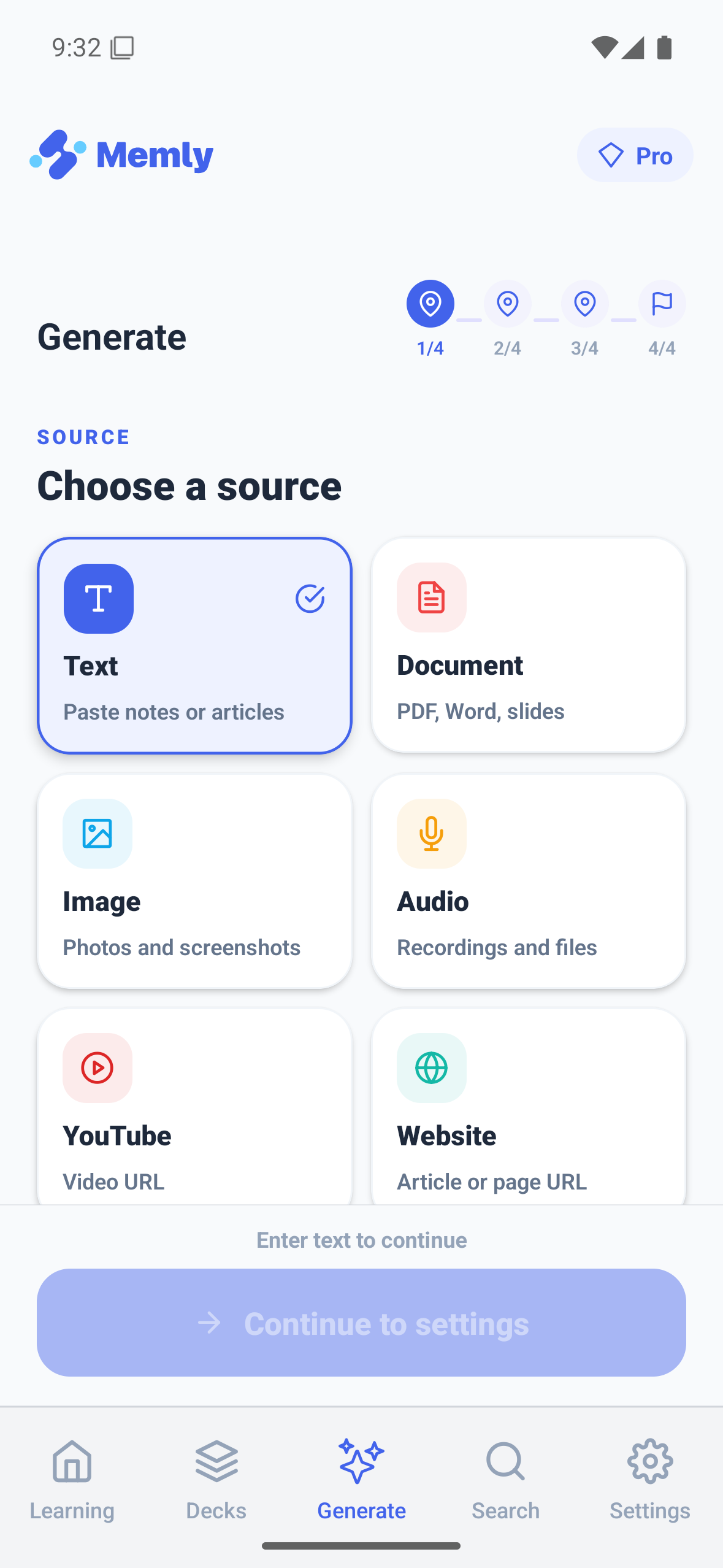
Turn the part you need into flashcards
A long document is rarely a single study task. You may need one chapter of a PDF, a few lecture slides, or several photographed handouts. Memly 2.0 supports Word, PowerPoint, and several images at once, and lets you choose a PDF page range or a PowerPoint slide range before creating cards.
Memly creates cards only from the material you provide. It aims for the requested number of cards, but it does not fill a quota with unrelated information when the material does not contain enough useful facts. You can review every card before saving and create more from the same material when needed.
The full process is covered in Memly 2.0 AI card generation.
Find the memories that are starting to weaken
A deck can contain hundreds of cards, but they do not all deserve equal attention today. For each studied card, Memly estimates how likely you are to remember it now. You can focus on cards below 90% or below 80% instead of restarting the entire deck.
The memory dashboard brings that decision into one place. It includes overall memory status, study streaks, a 17-week calendar of study activity, an estimate of reviews due over the next 14 days, overdue reviews, and cards that have repeatedly been forgotten. The card library adds search, filtering, sorting, and direct editing when you need to look more closely.
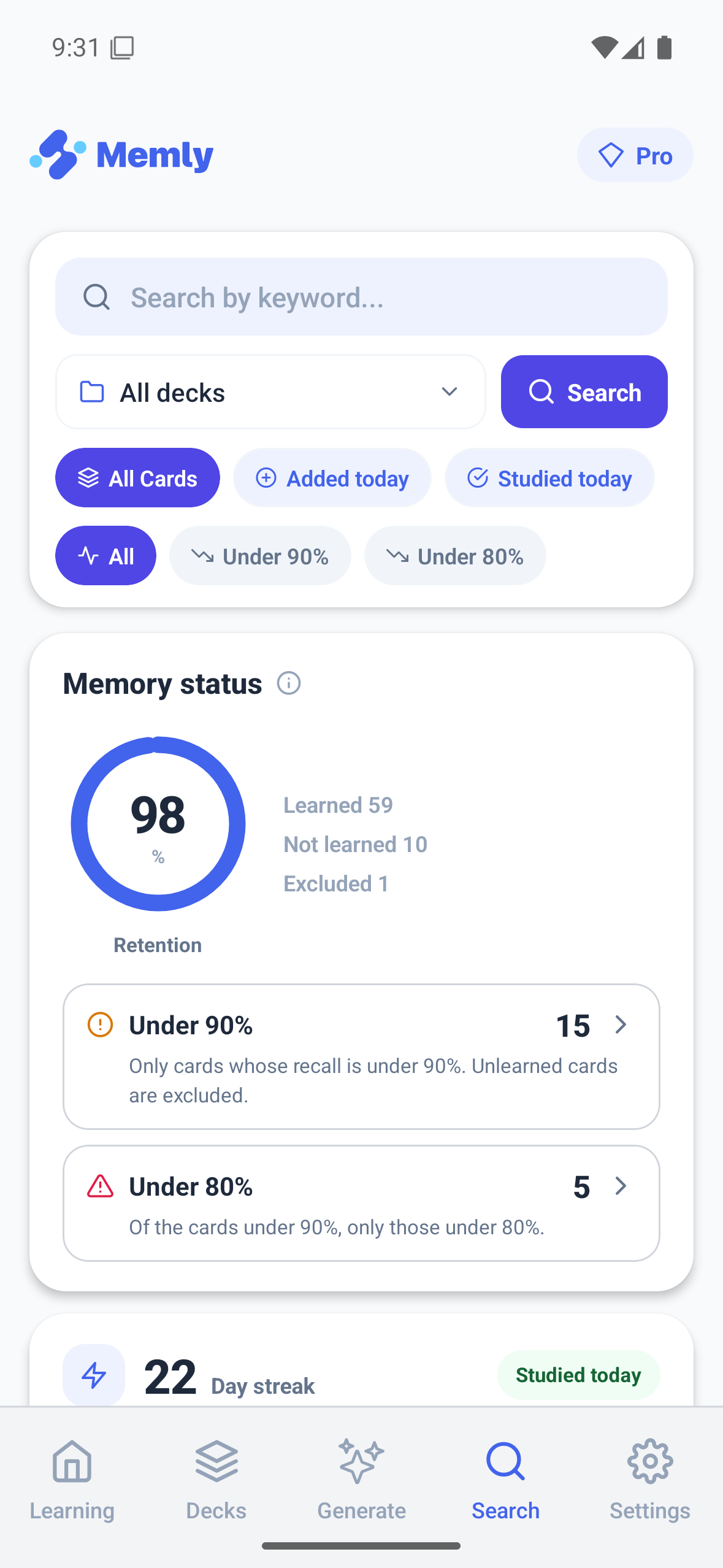
See how Memly estimates how likely you are to remember each card and helps you review cards you are starting to forget in Memly 2.0 Memory Review.
Work backward from the exam date
A review schedule can be mathematically reasonable and still miss the moment that matters. If the next review falls after the exam, it cannot help on exam day. Exam Mode lets you add an exam date to a deck. As the date approaches, Memly can aim for a higher chance of remembering, bring forward reviews that would otherwise fall after the exam, and show the cards you are most likely to forget first.
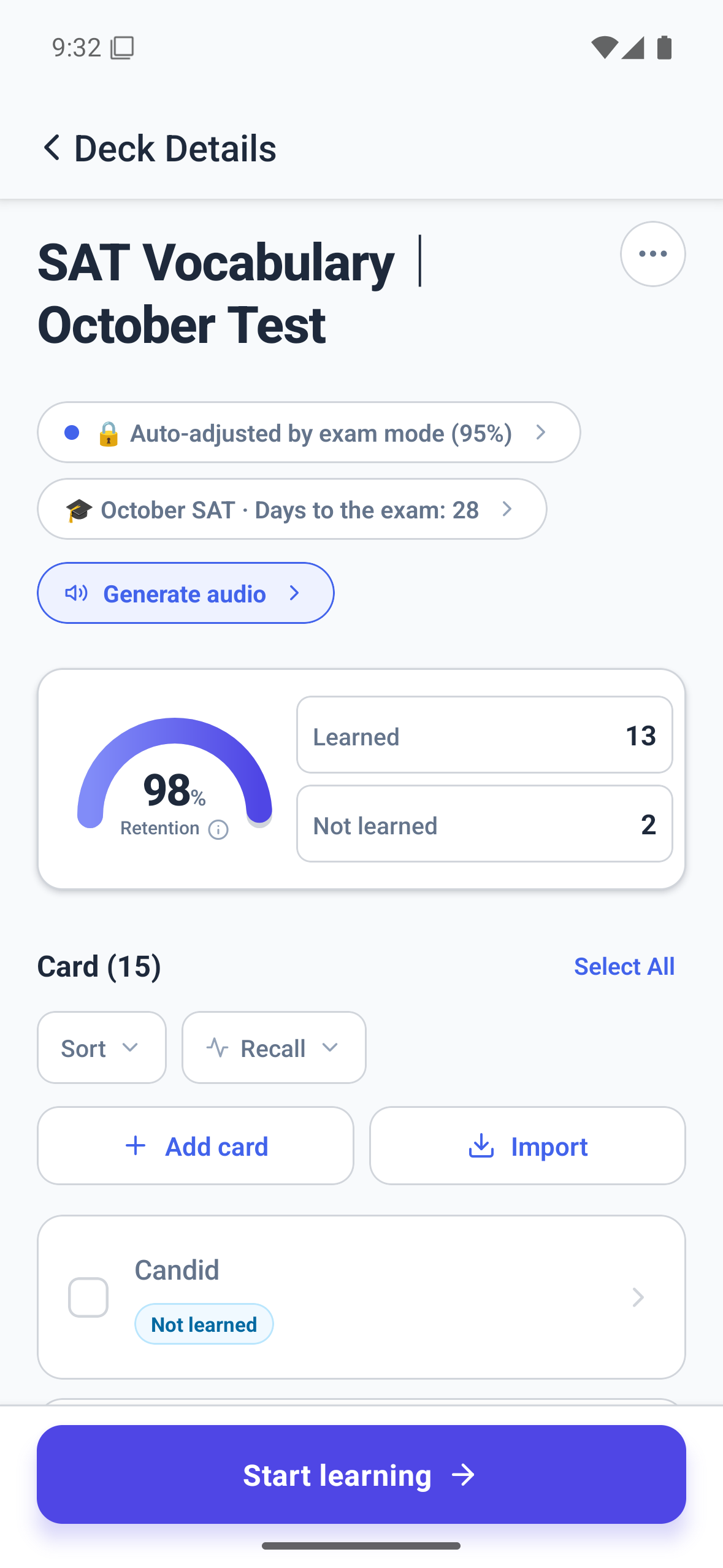
For each deck, you can choose an 80%, 90%, 93%, or 95% goal and preview the approximate number of cards and minutes per day. These percentages describe the chance of remembering that Memly aims to maintain. The detailed guide is Memly 2.0 Exam Mode.
Answer, scan, edit, or listen
One study mode does not fit every moment. Memly 2.0 brings question-and-answer (Q&A), multiple choice, true or false, and Quick Review into a clearer mode selection screen. Quick Review shows both sides and advances at a chosen pace without rating your answer or changing when Memly will show the card again. Use it alongside reviews where you first try to remember the answer yourself, not as a replacement for them.
Cards can now be edited while you are studying in Q&A, multiple-choice, or true-or-false mode. That keeps a small correction from becoming a reason to abandon the review.
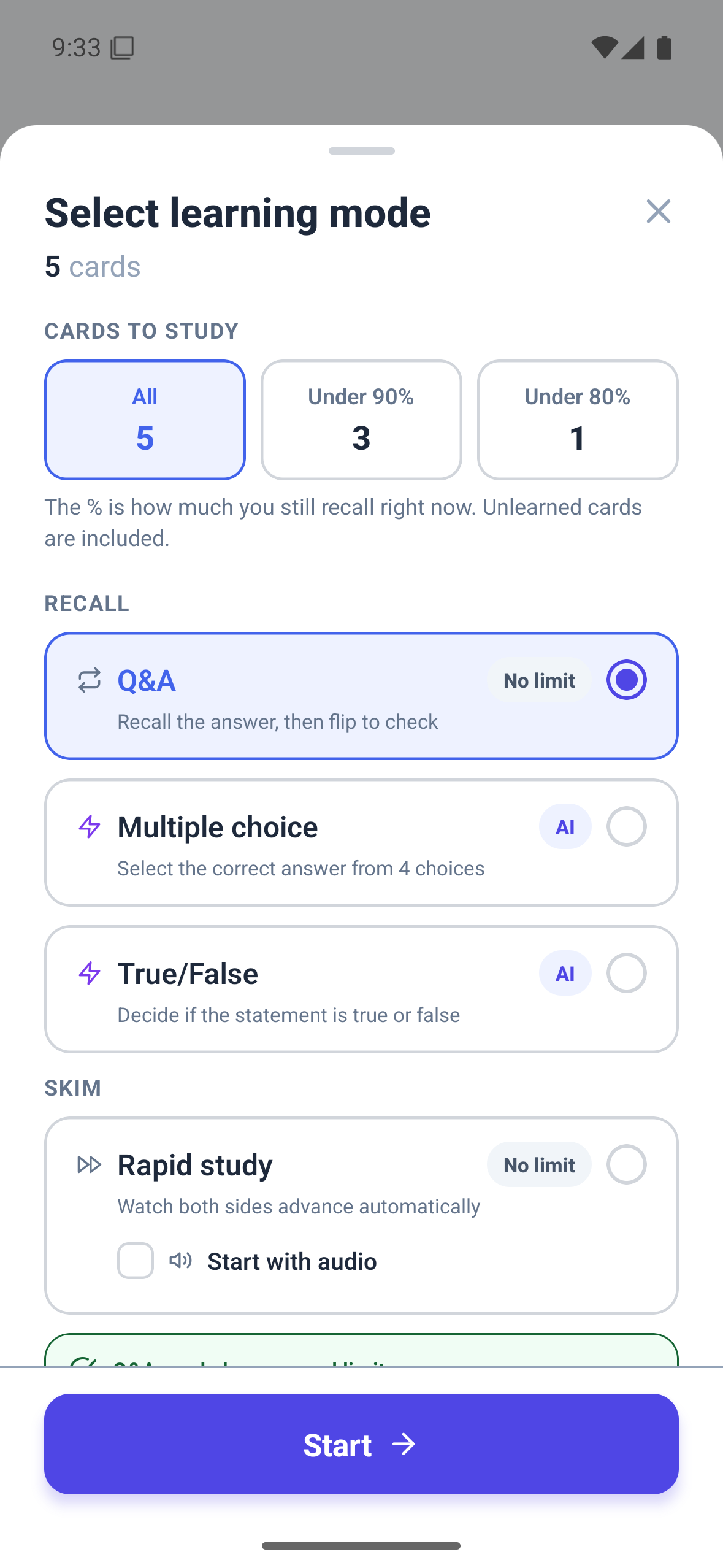
Compare the modes in how to choose a Memly 2.0 study mode. For hands-free study, Memly 2.0 audio learning explains how AI narration reads your cards aloud, how to listen through a deck, how to add audio to Quick Review, and how to turn cards into a Review Radio audio program.
Other improvements that support long-term study
Version 2.0 also includes smaller changes that make long-term use more dependable:
- Notifications can arrive at the right local time and alert you about due reviews, cards you may forget, a study streak that may end, and a completed Review Radio program.
- Sound, vibration feedback, and correct-answer streak effects respond to your answers while respecting motion and sound preferences.
- During long periods of study, Memly saves progress along the way and retries when a temporary problem prevents a save.
- We also made sign-in more reliable, strengthened account protection, improved how payment problems and failed operations are handled, and improved support for multiple languages.
Use Memly from ChatGPT or Claude
MCP is a way to connect Memly securely with compatible AI assistants such as ChatGPT and Claude. Free users can find and view their cards and decks through conversation, while Plus or Pro users can also add or edit them. See how to connect Memly to ChatGPT or Claude for setup and the full list of supported actions.
The point of Memly 2.0 is not to add one more screen. It is to shorten the distance from study material to your next useful attempt to remember it.
When each platform will receive the update
Memly supports Web, iOS, and Android. Some Memly 2.0 features may arrive at different times while the release completes across platforms. The screens in this announcement were captured on Android and may differ slightly from the Web and iOS layouts.
Choose one part of the loop to improve first
A major update can create another list of features to postpone. Start with one concrete loss in the way you study now: a document you keep rereading, a deck whose weak cards are hard to find, or an exam date that has no review plan. Then try the matching Memly 2.0 feature with one source or one deck.
For the learning science behind the system, read the complete guide to AI-assisted memorization. You can also continue with the five focused guides on card generation, memory review, exam preparation, study modes, and audio learning.
