


Three video lectures at double speed. The progress bar hits 100%, today's quota is done. Then you open the problem set and the method you just watched refuses to come out. The 90 minutes you spent watching exist in your viewing history, but barely in your head. For video learners, this is where study time quietly disappears.
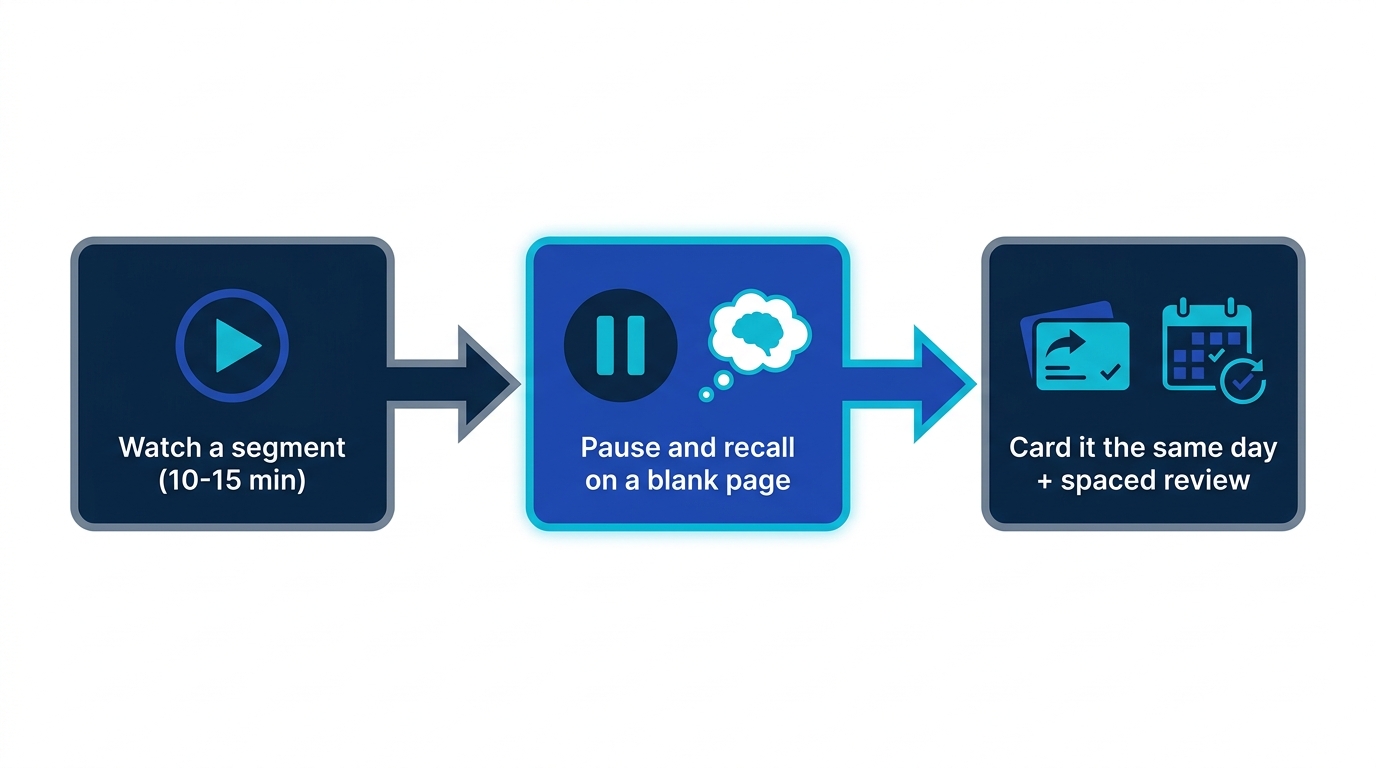
The short version: watching alone does not stick, because video is the smoothest input format ever made and smoothness maximizes the feeling of understanding, not the memory. The fix has three steps: watch in segments, pause and recall onto a blank page, and convert the day's takeaways into flashcards on spaced repetition.
Why video lectures don't stick
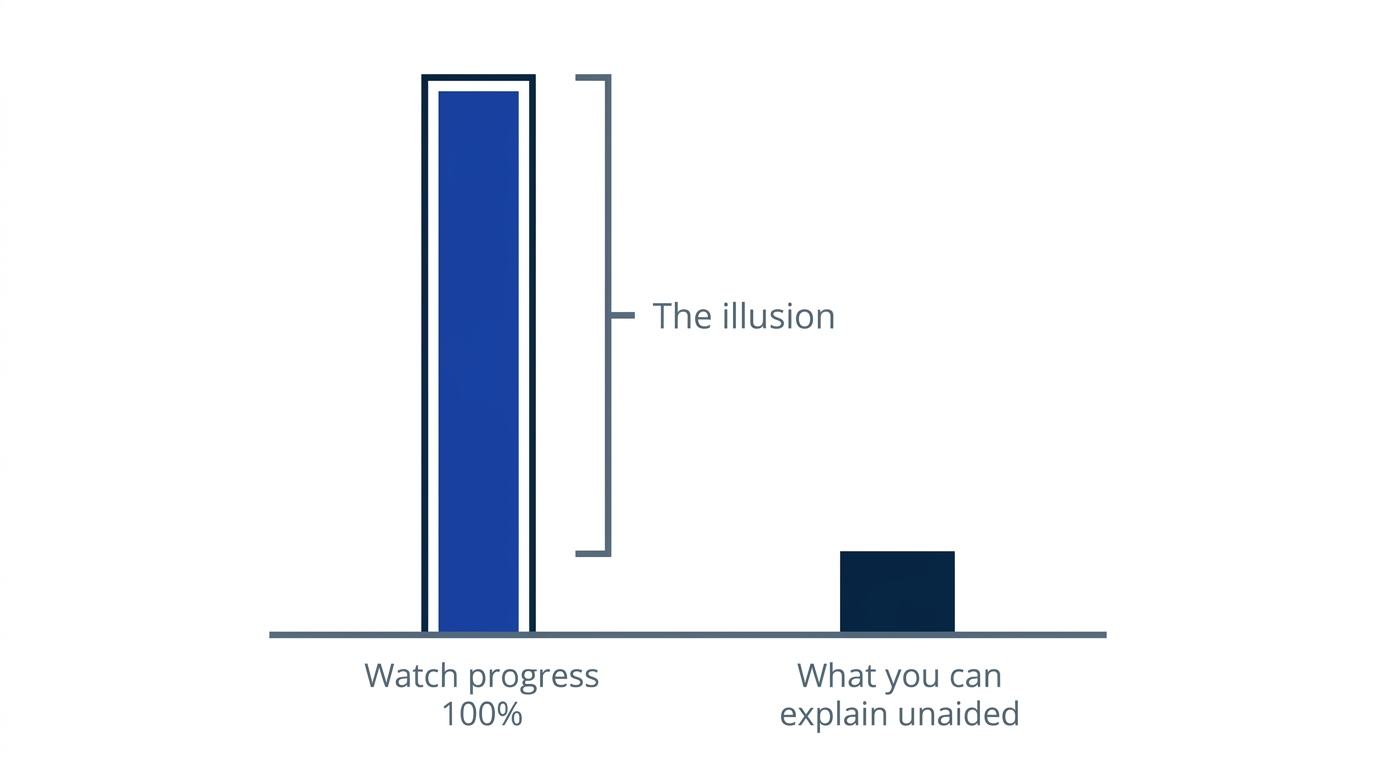
A good instructor explains better than any textbook: diagrams move, the delivery is fluent, and the answer arrives before you ever get stuck. That smoothness is where the problem starts, because the sense of understanding tracks how easily material went in, not how well it will come back out. This is the fluency illusion, and video runs it stronger than rereading does: across 90 minutes of watching, you are never once required to produce anything yourself.
And video has a progress bar. Every minute watched moves a number upward, making "studying" visible and satisfying. But the bar measures playback time, not what you can produce from memory. We covered why passive reading fails in Why You Forget What You Read; passive watching is the same failure with better production values.
How to study with video lectures: 3 steps
Step 1: watch in segments (10-15 minutes)
Never run a lecture end to end. Watching with a planned stop changes how you watch: you start holding on to points because you know recall is coming. Speed-watching is fine for surveying a course, but continuous playback at 2x that never pauses only makes the input smoother and the illusion stronger.
Step 2: pause and recall onto a blank page (2-3 minutes)
At each stop, write down the segment's key points without looking at the screen. This is the exact fork between watched and learned. Whatever refuses to come out is what you have not learned yet; rewind, check, and try producing it once more.
Step 3: card it the same day, onto spaced repetition
One recall today still fades by next week. Turn your screenshots and notes into question-and-answer cards the same day, while you still remember what the instructor actually meant, and the schedule takes over from there: each card comes back just before it would slip away. The workflow is the same as turning lecture notes into flashcards.
Passive watching vs learning mode
| Passive watching | Learning mode | |
|---|---|---|
| Playback | Continuous, often 2x | 10-15 minute segments |
| Hands | Idle | Blank-page recall at each pause |
| After watching | Next video | Same-day card conversion |
| A week later | The memory of having watched | Knowledge you can use on the exam |
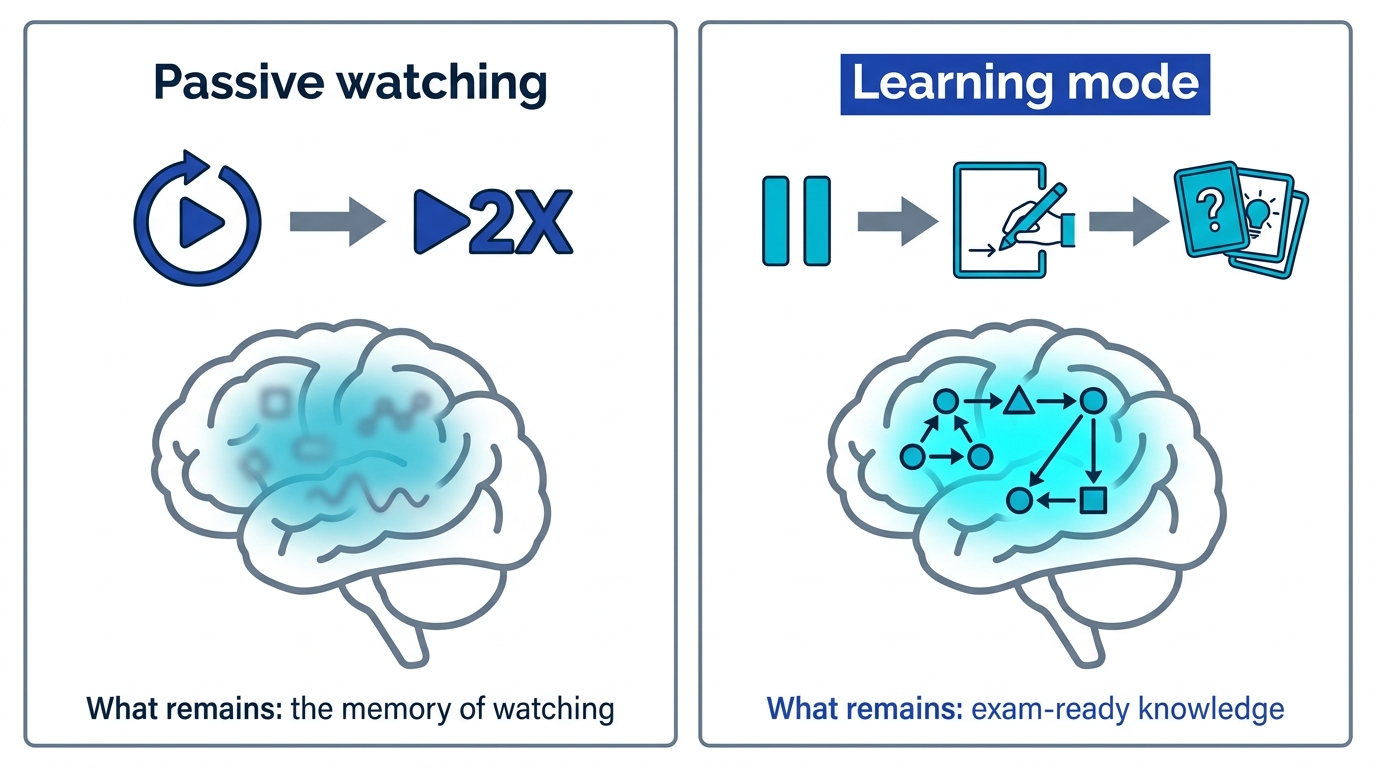
Only the bottom row is about results; the three above it are what that row costs. A week after a passive session, what remains is the memory of having watched, and there is no exam question that accepts it as an answer.
The same fork applies to audio-only study, covered in Does Audio Learning Work?: the medium matters far less than whether a retrieval step exists.
Memly turns today's lecture into today's cards
- Screenshots and notes become cards: AI generates question-and-answer cards from images, PDFs, or pasted text; five minutes after the video ends, the day's takeaways are converted.
- Re-testing is automatic: the FSRS spaced repetition algorithm resurfaces each card just before you would forget it.
- Web, iOS, and Android: watch on your laptop, recall on your phone during the commute.
For the full picture of AI-assisted memorization, see AI-Assisted Memorization: How It Works and the Best Tools.
Pause once in your next video
Most readers will hit play tonight and let the whole thing run, because pausing is friction and the progress bar feels wonderful. But you already know the bar and your test scores are not moving together.
One action: in your next lecture, stop at minute ten and write what you just watched onto a blank page. The amount you cannot write is the amount that has been vanishing all along. Hand those notes to Memly and they become cards on the spot; free to try, no credit card required.
