


RemNote and Anki are worth comparing through the work you want to keep together. RemNote connects an outline of notes with its flashcards. Anki organizes information into note fields and uses card templates to decide what appears during review. Both support FSRS, so the algorithm's name alone does not settle the choice.
Start with a short source, three checked questions and an export you can inspect. The useful question is whether you can maintain the material, correct an answer and keep enough context when you study or move it. This comparison does not measure which product improves grades or makes reviews faster.
RemNote vs Anki at a glance
The table summarizes each product's documentation. Below, a three-card example illustrates a RemNote Web Guest workflow on macOS and a separate Anki desktop import of the same questions. They are different checks, so their outcomes do not rank the two apps.
| Topic | RemNote | Anki |
|---|---|---|
| Where context lives | Notes and flashcards in an outline | Note fields and card templates |
| FSRS | Built in; help describes v6 as a manually enabled beta | Built-in FSRS options in the deck settings |
| Export to inspect | Anki flashcards-only APKG, with parent context | Tab-separated note fields or packaged decks |
| Cost boundary | Free plan and paid subscription options | Free desktop app; separate mobile options |
See the linked sources in the scheduling, pricing and export sections for the conditions behind these summaries. An export format or a Free label does not establish that every feature, file or device is covered.
Compare the same source and three questions
We wrote the following fictional Maple reading-room material for this article. It is not a real organization's policy, an exam question or another learner's notes.
A booking is provisional until the coordinator confirms it. A room under inspection cannot be used, even when it has no booking. If a requested extension overlaps another confirmed booking, decline the extension.
- What changes a provisional booking into a confirmed one? Coordinator confirmation.
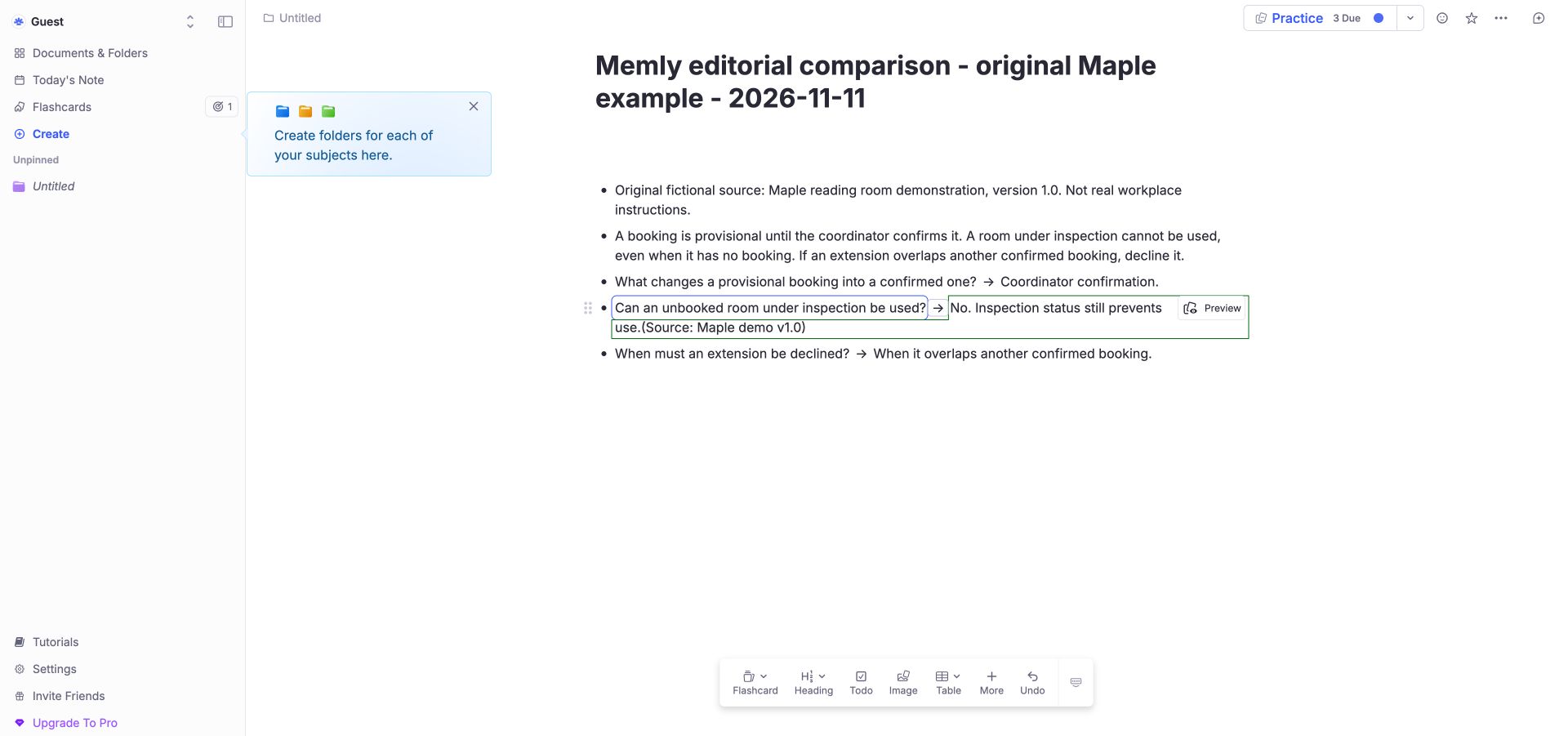
- Can an unbooked room under inspection be used? No. Inspection status still prevents use.
- When must an extension be declined? When it overlaps another confirmed booking.
The second question matters because an empty room and an available room are different in this source. If a card drops the inspection condition, it changes what the learner is being asked to recall. We also add “(Source: Maple demo v1.0)” to that answer as an editing check.
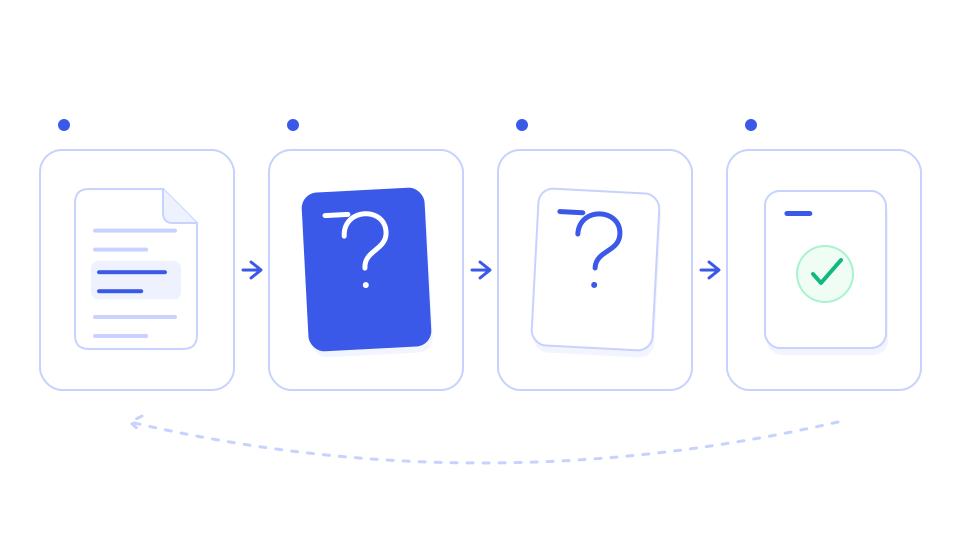
For a small trial, create the same material in both products. Edit one answer, reopen it, reveal it during review and export the demonstration cards. Check the actual file. Record the platform, application version, account or plan and date, so a result from one environment does not quietly become a claim about every version.
Download the original source and reference answers, checked question-and-answer TSV or workflow checklist to repeat the procedure with a small copy.
What we checked in RemNote Web Guest
On November 11, 2026, we created an original source document and three forward cards in RemNote's Web Guest workspace. We used the native question-and-answer conversion, edited the second answer to include the source label, and reloaded the document. All three cards and the edited answer were still visible after that reload.
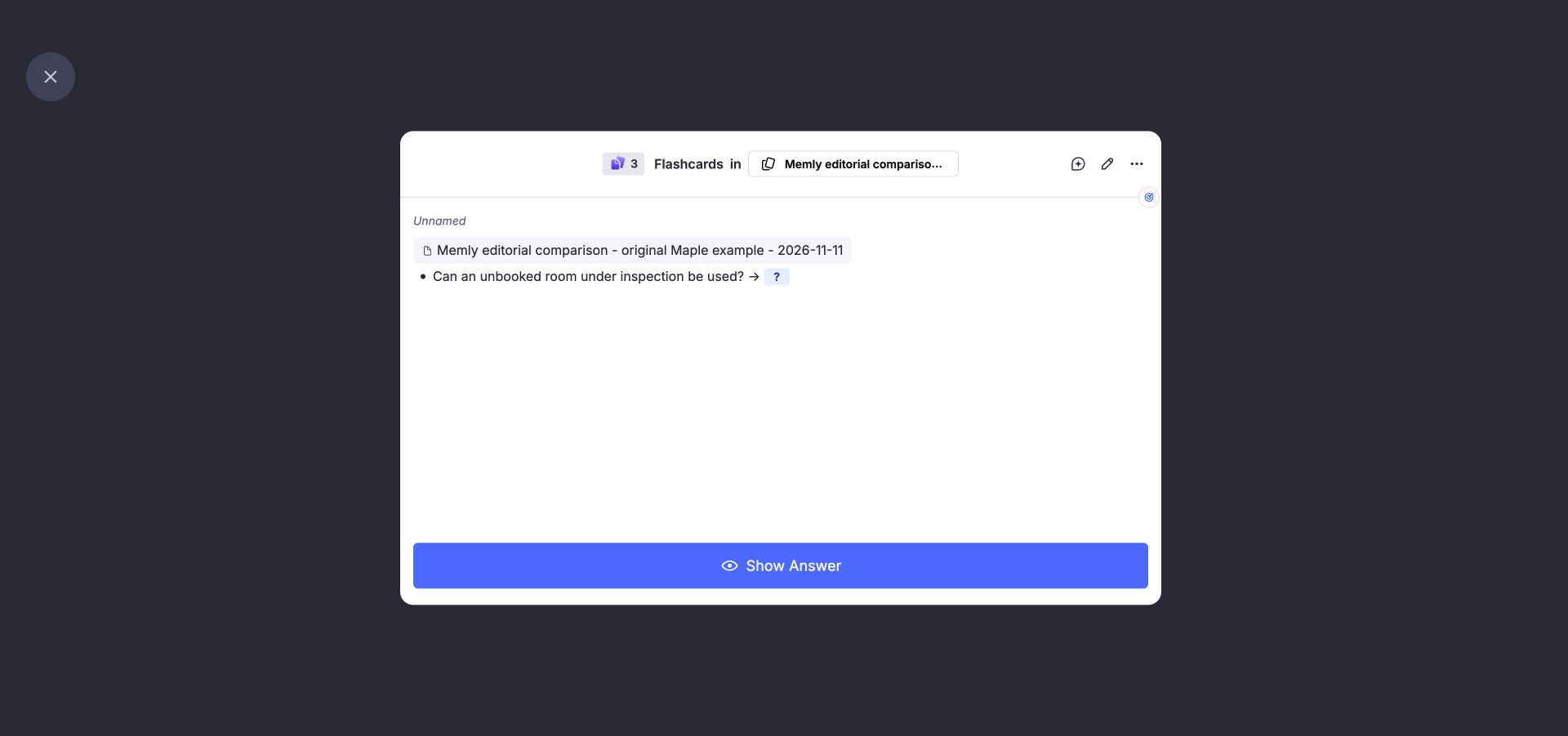
We opened the three-card practice queue and saw the inspection question before selecting Show Answer. The revealed saved answer contained the inspection condition and the added source label. We did not submit a recall rating, so this run does not establish a review interval or a learning outcome.
The practice view also displayed an additional AI explanation containing reasons that were not in our short source. We did not verify those extra reasons. Keep the saved reference answer and any additional explanation separate, and check both against the material. This observation concerns this one example; it is not an accuracy score for the product.
We then exported Anki (OnlyCards) from the actual document export menu. Reading the downloaded APKG found three notes and three cards. Their question fields included the document-title context, and all three reference answers were preserved, including the edited source label. The standalone source bullets that were not flashcards were absent.
Those observations do not show cloud synchronization, persistence after clearing browser data, media transfer or review-history equivalence. We created no account and did not compare paid plans in this run.
What we checked in Anki Desktop
On November 23, 2026, we imported the three checked questions as Basic notes in a fresh local profile in Anki 26.09.3 on macOS. Each row supplied the question and its answer as two separate fields. After restarting, the deck still showed three cards. A read-only check of the local collection found all three original pairs, including the answer that an unbooked room under inspection still cannot be used.
The import used the original TSV answers, so this deck did not include the source label added later in the RemNote example. We did not test importing the RemNote export or verify Anki editing, review, export or synchronization in this run. The Anki settings and export descriptions below are from its manual.
Notes and cards: decide where you need context
In the RemNote example, the source and forward cards lived in one document. That arrangement is worth testing if you want to maintain questions beside an outline. Try changing a source condition, then check whether each affected question still asks the intended thing. Keeping them nearby does not remove the need to correct the answers.
Anki's notes-and-fields documentation explains how one note can hold separate pieces of information and how card templates choose the fields shown on each side. A source reference can therefore be part of your note design. Decide which context belongs on the question and which should appear only with the answer.
A long outline can still contain an ambiguous question. A short card can still preserve the condition needed to answer it. Choose a structure you will keep updating, then test the actual question away from the source page. Our guide to writing good flashcards covers that question-design step in more detail.
Scheduling: both support FSRS, with settings to check
RemNote's FSRS help describes built-in FSRS v6 as a beta option that must currently be enabled manually. Its custom scheduler guide describes a global default and settings assigned to documents or folders. These are documentation claims, not settings we enabled or compared in the Guest demonstration.
Anki's deck-options manual documents FSRS, desired retention and daily limits. Understand which decks share a preset before changing settings. A desired-retention setting is a scheduling target, not a promise of an exam score. Our Anki FSRS settings guide separates those settings from illustrative workload calculations.
The shared algorithm name is not a head-to-head effectiveness result. Check the available controls, the history used by the scheduler and the review routine you can sustain. This three-card exercise cannot rank either product's long-term memory predictions.
Is RemNote free? Compare the billing terms
RemNote's pricing page lists a Free plan with notes and flashcards, plus limits on selected features. Its yearly display shows Pro at $8 per month, billed $96 yearly, and Pro with AI at $18 per month, billed $216 yearly. These are annual billing equivalents, not month-to-month subscription prices. Check the current plan selector, included features and checkout for your location.
Anki's official downloads page describes the computer version as free and lists AnkiMobile for iOS and AnkiDroid for Android separately. AnkiMobile is a separate purchase; AnkiDroid is listed as free. Check the current store listing for your region rather than treating the desktop price as the price of every mobile option.
Make a list of the devices and features you actually need before paying or moving a collection. A short Guest test establishes what we observed in that workspace. It does not establish every Free-plan limit or paid entitlement.
Export: check what survives the move
RemNote's export guide describes an Anki flashcards-only APKG export that leaves out non-card bullets and retains parent context in the cards. Our small Guest export showed those distinctions. A three-card check does not prove a complete notebook, arbitrary media or scheduling transfer.
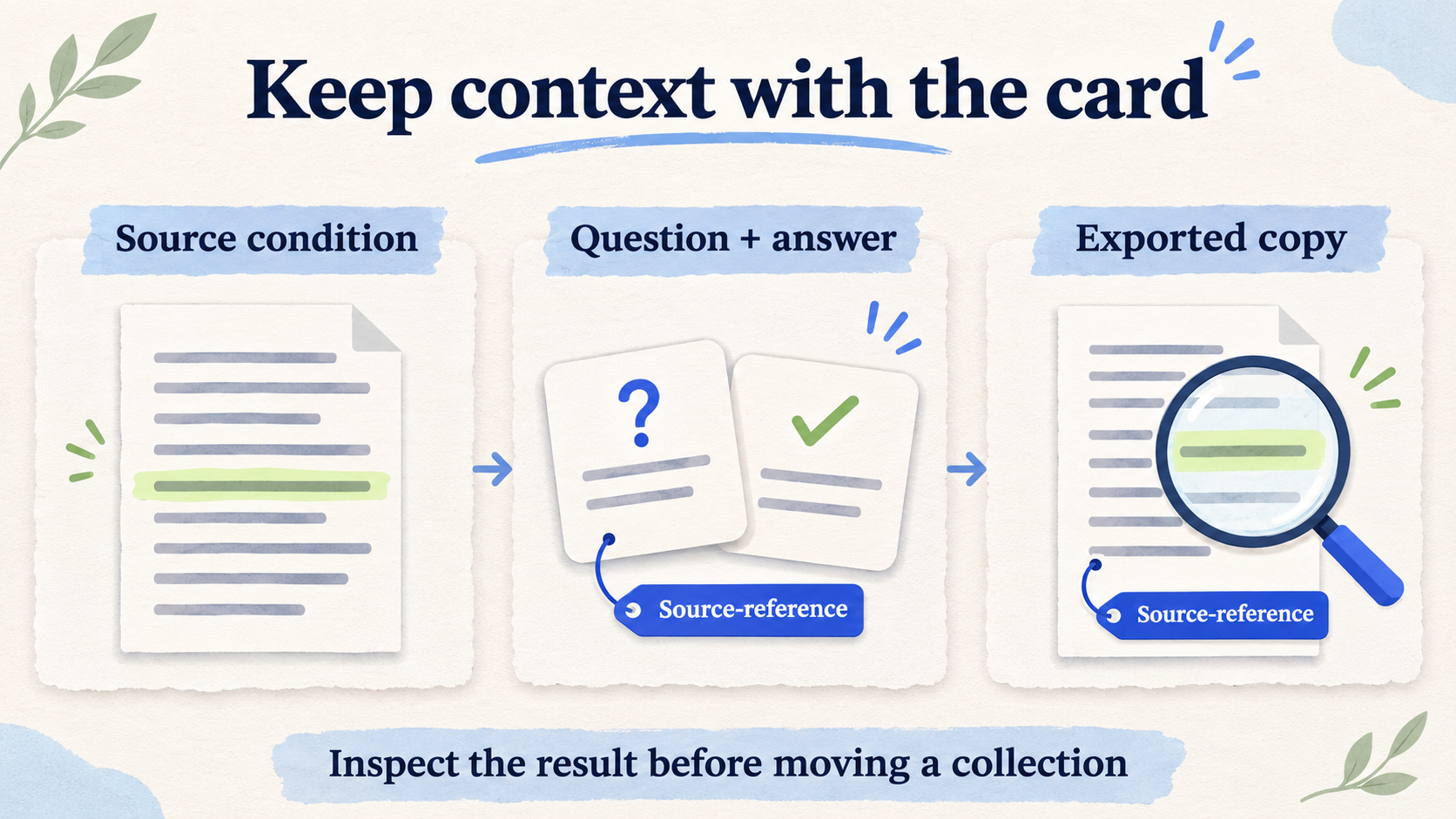
Anki's export manual distinguishes tab-separated note fields from packaged decks. Packaged deck options can include media and scheduling information. Select the format and options for what you want to retain, then inspect the result. The existence of an option does not establish that another application will interpret every field, template or review event in the same way.
Use a small copy before moving important material. Check source labels and conditional answers first, then separately verify any images, audio, cloze cards or history you need. A successful question-and-answer transfer is useful evidence, but it is only evidence for the information you actually checked.
Choose a workflow you can maintain
Try RemNote when keeping an outline and questions together is central to your study process. Try Anki when you want to organize a card collection around note fields, templates and deck settings. These are workflow starting points, not a claim that either tool is limited to one use.
You can keep your current app while testing another with original material. Make the decision after you have corrected an answer, reviewed it in context and inspected an export. Do not move a whole collection on the strength of a feature table alone.
If your starting point is a document you want to turn into draft questions, our AI-assisted flashcard guide explains a separate workflow with Memly. Check generated answers against your material and review a small saved set before expanding it. That is another workflow to try, not a measured winner in this comparison.
