



Raising desired retention is easy. Finding room for the extra reviews is the harder decision. If you are choosing between 80%, 90% and 95% in Anki, start with your available review time and the cost of forgetting a card, then check a workload estimate before changing the setting.
Start with 90% if you have no clear reason to change it. It is Anki's documented default. Consider a lower target when you accept more forgotten answers in exchange for fewer scheduled reviews; consider a higher target when remembering that material matters enough to support the additional work. None of these percentages predicts an exam score. The Anki manual explains the retention–workload trade-off.
80%, 90% or 95%: what are you choosing?
| Target | Before choosing and after trying it |
|---|---|
| 80% | Ask: Can I accept more forgotten answers for this material? Watch: Whether relearning those answers is frustrating or costly. |
| 90% | Ask: Can I maintain the default workload with my current new cards? Watch: Whether reviews fit a normal week, including busy days. |
| 95% | Ask: Is this material worth the extra review capacity? Watch: Whether the higher target creates a backlog I cannot sustain. |
These are decision prompts, not rules assigning a percentage to a subject. Two people studying the same vocabulary may have different schedules, review histories and reasons for remembering it. Before increasing a target, write down what you would stop doing to make room for the reviews. If the answer is "I will somehow find more time," test that assumption before committing the whole deck.
Desired retention is a scheduling target for recall when a card comes due. Your observed success rate also reflects your answers, timing and the model's fit. A late review is not the same event as an on-time review. Choosing 95% cannot make an overdue collection behave as though you reviewed everything when scheduled.
One card: why a higher target shortens the interval
In FSRS, stability describes how long the model takes to reach 90% recall. Hold one hypothetical card's stability at 30 days, use the default FSRS-6 decay, and the curve reaches 80%, 90% and 95% after approximately 99.48, 30 and 12.08 days respectively. Rounded to whole days, that is 99, 30 and 12 days. The maintained algorithm specification defines the curve; the downloadable calculation below checks its inverse.
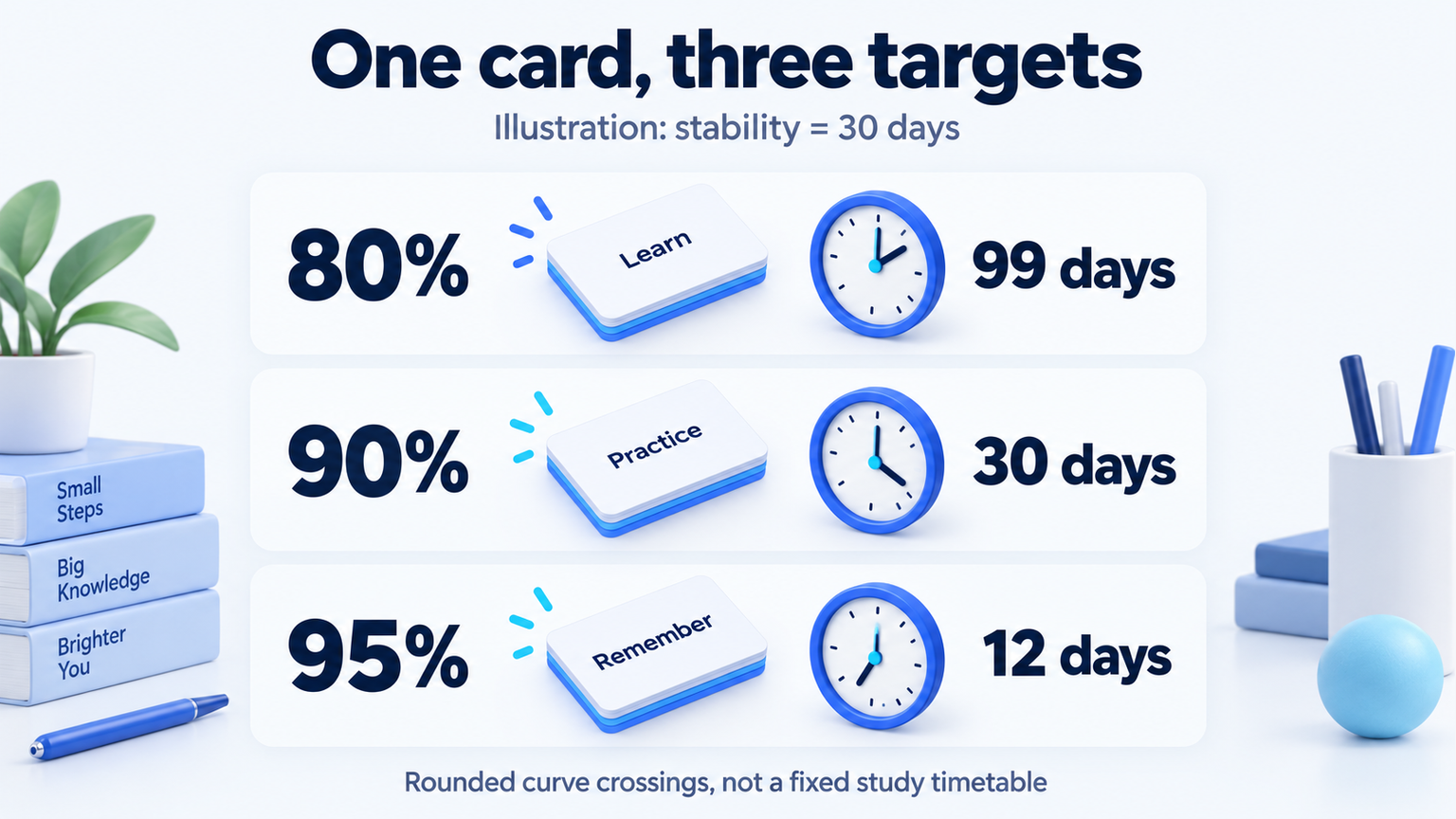
Do not turn these three numbers into a fixed review timetable. They hold stability constant to isolate one setting. For the broader explanation of difficulty, stability and retrievability, see our FSRS algorithm guide.
A reproducible 120-day model exercise
We also ran a separate synthetic deck through ts-fsrs 5.4.2. This asks how the setting behaves under stated assumptions; it does not measure real learners or reproduce Anki's own simulator.
- 1,000 hypothetical cards, introduced at 20 per day for the first 50 days, followed for 120 days in total.
- FSRS-6 default weights, no interval fuzz, no missed reviews or daily review cap, and no same-day learning steps.
- The first study is rated Good. Later recall is sampled from the same memory model used by the scheduler: Good on success and Again on failure. There are no Hard or Easy answers.
- Five fixed random seeds. Counts exclude the 1,000 initial study events. No study-minute estimate is made.
| Target | Mean reviews | Mean failure share |
|---|---|---|
| 80% | 2,683.6 | 19.79% |
| 90% | 4,342.2 | 11.25% |
| 95% | 6,053.4 | 7.36% |
Across the five seeds, later-review counts ranged from 2,618 to 2,762 at 80%, from 4,253 to 4,415 at 90%, and from 5,878 to 6,219 at 95%.
In this exercise, 95% produced about 39% more later review events than 90%. The seed ranges describe variation in this computation, not confidence intervals for people. The model supplies both the scheduler and the simulated memory, so it cannot establish which setting works best for a reader or compare the effectiveness of apps.
The failed-review share is not exactly 20%, 10% or 5%. Whole-day rounding, minimum intervals and response-ordering rules can move a review away from the exact curve crossing. For example, the first review in our 90% run occurred on day 3, at predicted recall of about 88.1%. We retained that output instead of replacing it with the target percentage.
Download the summary CSV, full model output and reproduction instructions. The instructions link to the source and pinned dependency files. This 120-day example is separate from the existing algorithm article's 500-day simulation; their totals answer different scenarios.
Check your own deck in Anki before saving a change
The following screens were captured in Anki 26.09.3 using a fresh local demo collection. There was no personal review history to fit. The demo shows where the controls are and how to compare an estimate; it is not a claim about our own learning results.
- Open the deck and select Options. Find the FSRS section. Enabling FSRS affects the collection, so check compatibility with your other Anki clients first.
- Inspect Desired retention. Our screen has Preset and This deck tabs. Check which scope you are changing before saving.
- Open FSRS Simulator (Experimental). Record the duration, additional cards, new cards per day and review cap. Keep those inputs constant when comparing targets.
- Choose a target and press Simulate. Change only the target and run it again. Our actual demo compared 90% and 95%.
- Check whether the workload fits your available time. Save Changes to Preset is a separate action; running a simulation does not require that action. We closed the demo without saving its changes.
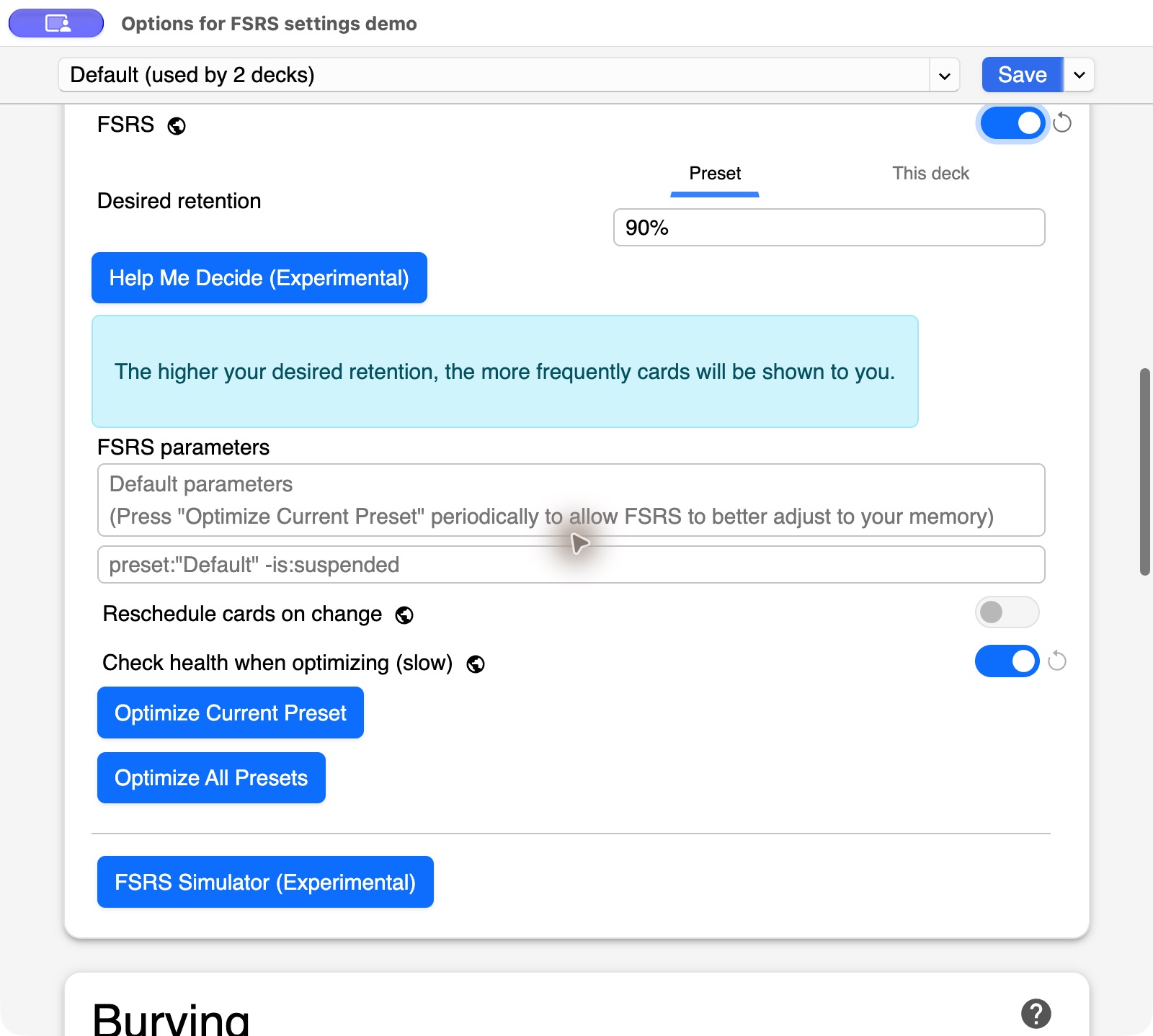
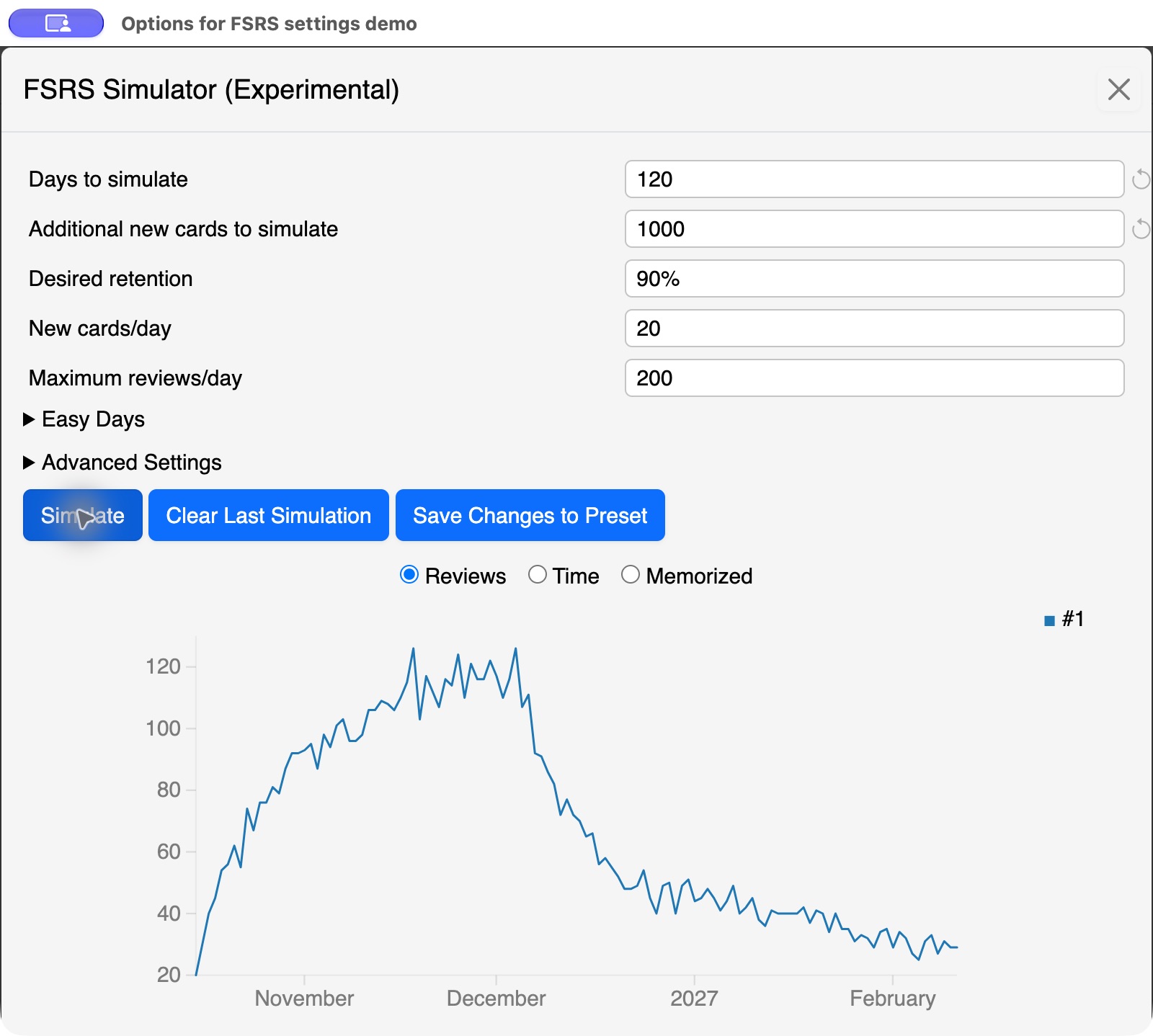
With an established collection, Anki can use your existing card states and parameters. Its simulator documentation explains those inputs. Anki also exposes Help Me Decide and parameter optimization. Do not copy another learner's fitted weights into your own preset. Forgotten answers should be graded Again, not Hard; otherwise the history misrepresents what happened.
How the related setting looks in Memly
In Memly's English deck screen, Learning intensity opens four targets: Light 80%, Standard 90%, Solid 93% and Intense 95%. Our original demo deck was on Standard. Because its cards had not yet been reviewed, the dialog explicitly withheld a daily-review estimate. We inspected the choices and closed the dialog without changing them.
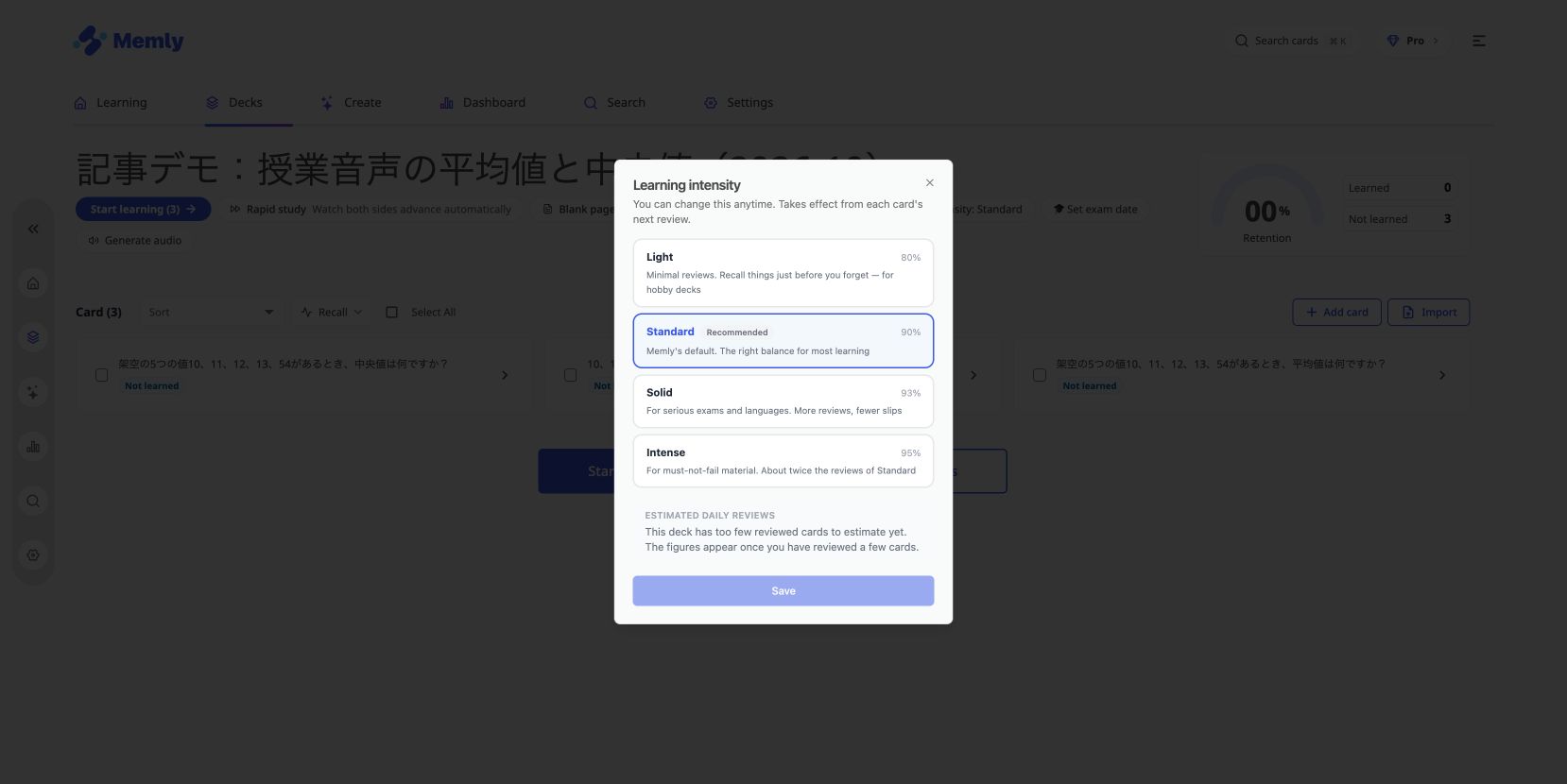
Memly uses shared FSRS weights while each card's answers update its state and schedule. That differs from Anki's personal parameter optimization. Moving card text between apps does not make their review histories or schedules identical. For the larger workflow, read about AI-assisted card creation and review.
Make one change you can evaluate
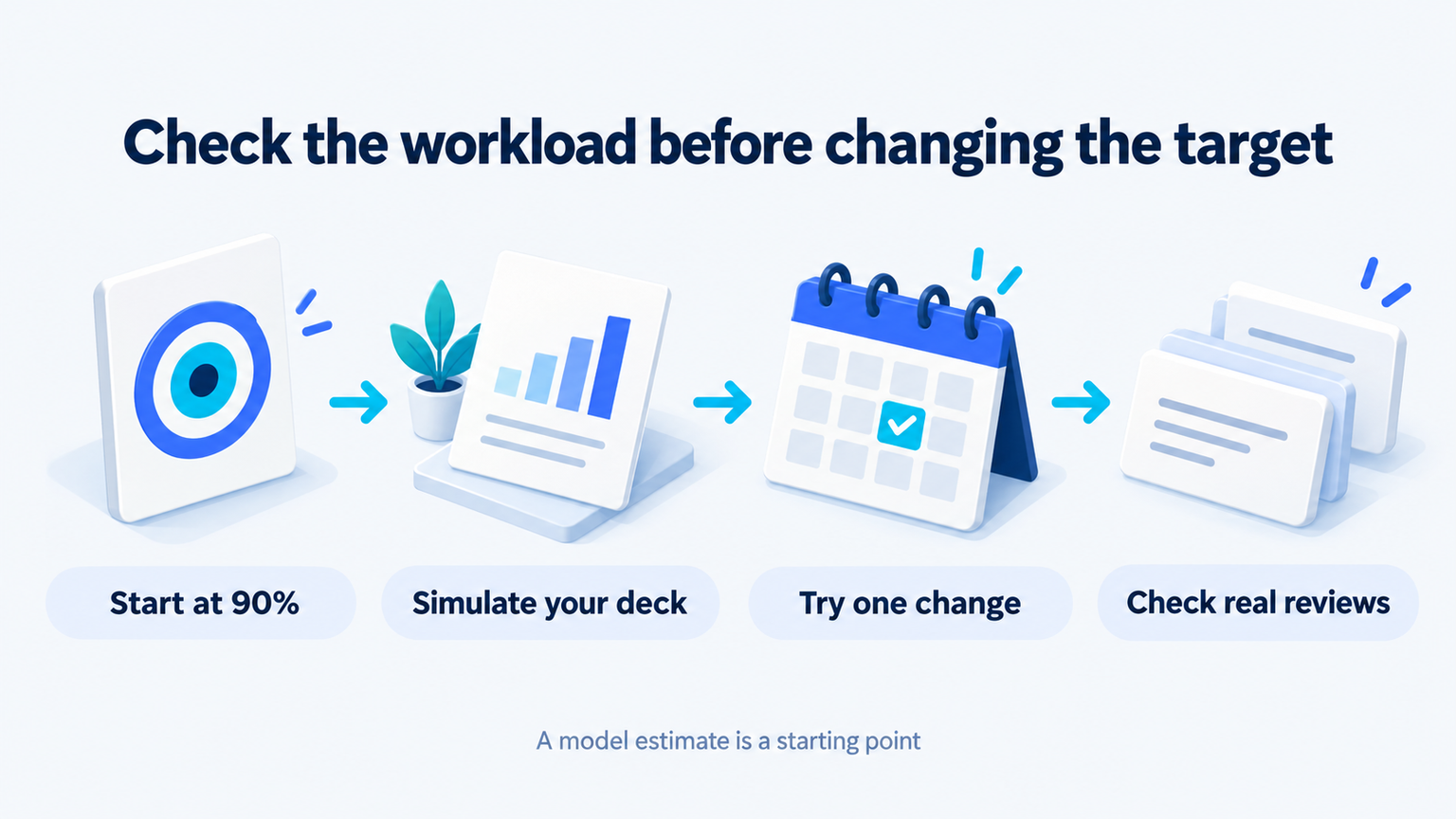
Use the decision worksheet to record the current target, review capacity, backlog and one proposed change. Choose a date to compare the estimate with actual review time and forgotten answers. If you change the target, new-card intake and daily limits together, you will have a harder time knowing which change affected the workload.
If you are already behind, first decide how to handle the existing queue. Our review-backlog guide covers restarting. A higher target is not a substitute for time to review, and a lower target does not repair unclear questions. Rewrite cards that consistently demand several unrelated answers.
Does 95% mean I will remember 95% on exam day?
No. It is a model-based review target, not a promise about a future test, a different question format or practical performance.
Must I use the same target for every deck?
No. Our Anki screen offered a deck-specific scope, and Memly exposed learning intensity from the deck. Choose the scope intentionally and verify what you saved.
Should I keep raising the percentage until I stop forgetting?
That does not remove the limits of time or memory. Look for a setting you can maintain, review honest failures, and check how well the material is understood beyond the card.
If creating useful questions is the part slowing you down, try building a small deck in Memly. Check the generated answers, review them, and then inspect learning intensity with a deck you actually intend to keep studying.
