


Replaying a lecture just to find one definition costs you another pass through material you have already watched. A useful flashcard keeps both the question and the place to check its answer, so you can spend that next pass on what you actually missed.
To turn a YouTube lecture into flashcards, choose a relevant segment, check its transcript against the video, write focused questions, verify the answers, and save only the cards you can support. You can work from your own notes or a transcript you have permission to use. A URL input by itself is not evidence that a particular video can be processed successfully.
Start with a source you can check
Pick one explanation that answers a question from your course. Keep the video title, URL and the relevant time beside your notes. This is more useful than asking an AI tool to turn an entire lecture into as many cards as possible: you need to be able to find the evidence for each answer.
Watch the segment once, then identify what belongs on the card. A spoken definition might be enough for a vocabulary question. A diagram, a worked calculation or a demonstration may require the slide or your own written explanation as well. Captions cannot supply a distinction that appears only on screen.
Use material you created, material you have permission to process, or your own study notes. If a course restricts uploads, follow those rules and keep the exercise within the tools your course permits.
Check the YouTube transcript before making cards
YouTube’s official transcript instructions say to open Show transcript in the video description. This view is available for videos with captions. Selecting a caption line takes you to that part of the video, which makes it a useful check when a phrase looks wrong.
The automatic-caption documentation warns that speech recognition can misrepresent what was said. Listen again when a term, number or negative word changes the meaning. If the transcript is unavailable, use your own notes or an instructor-provided source; do not assume a different app can always recover it.
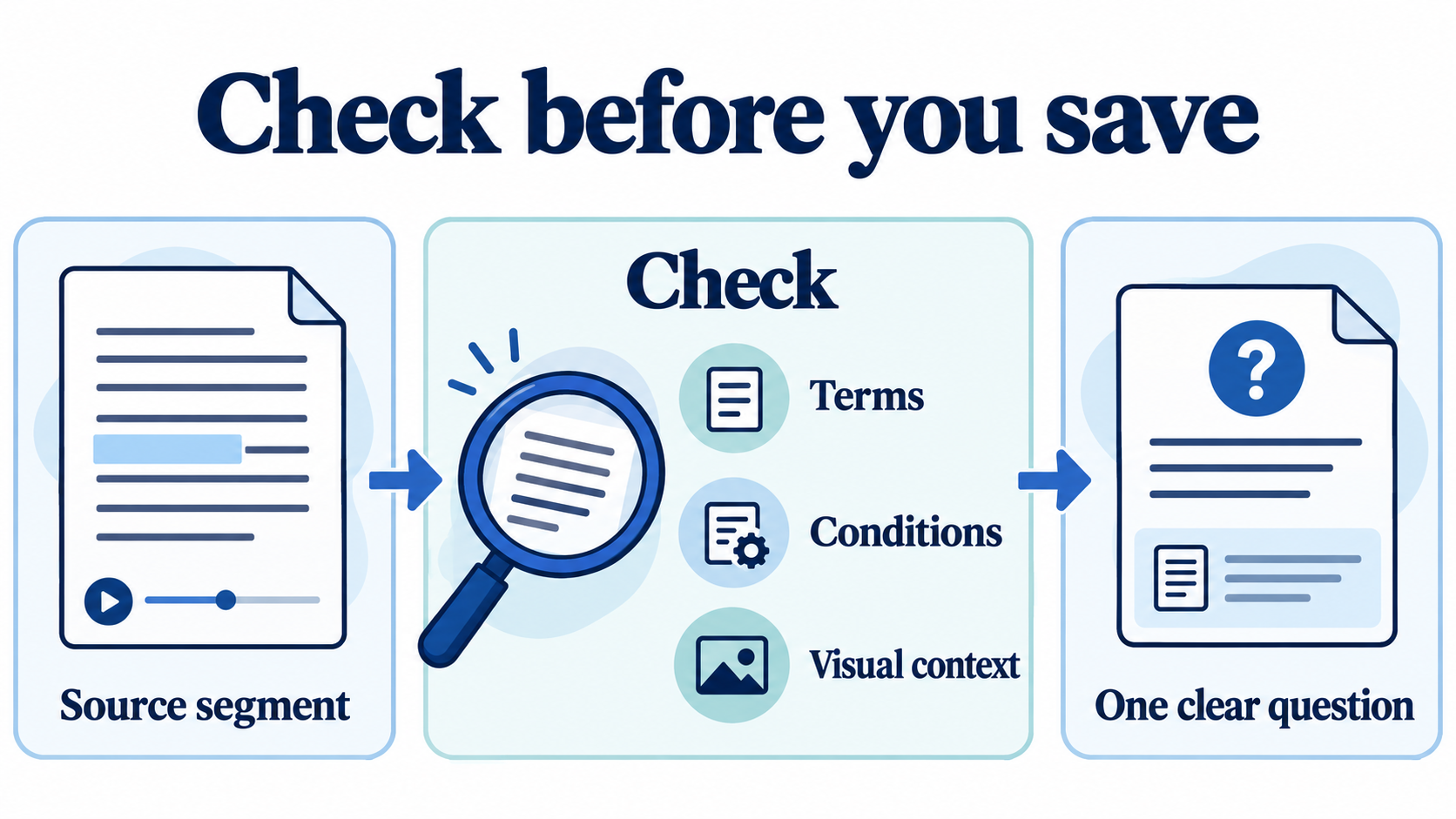
- Terms: Does the spelling match the slide or course material?
- Negation: Did the speaker say “can” or “cannot”?
- Conditions: Is the statement true only in a particular case?
- Visual evidence: Is a label, arrow or calculation missing from the text?
What happened when we submitted a real YouTube URL
On November 4, 2026, we submitted NASA Space Place’s What Is a Solar Eclipse? through Memly’s YouTube option. After the video transcription step, we requested three English cards about the eclipse’s geometry and checked every answer against NASA’s published video transcript. The questions covered the Sun–Moon–Earth alignment, partial versus total eclipses, and the path of totality.
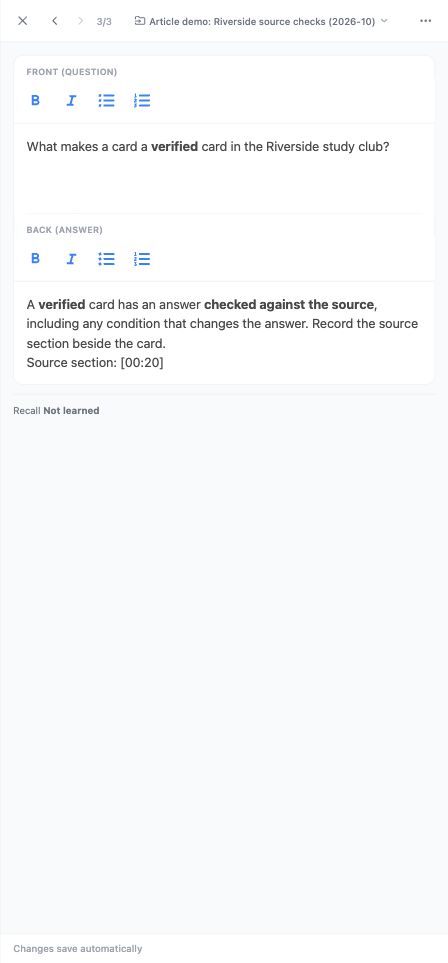
We saved the three cards to a new editorial demo deck, navigated back through the deck list, and reopened each question and answer. All three persisted. The capture below shows one saved pair after that fresh page load. This verifies one URL-to-deck run; it does not establish support for every video, automatic source timestamps, Anki transfer, or learning gains. We did not submit review ratings.
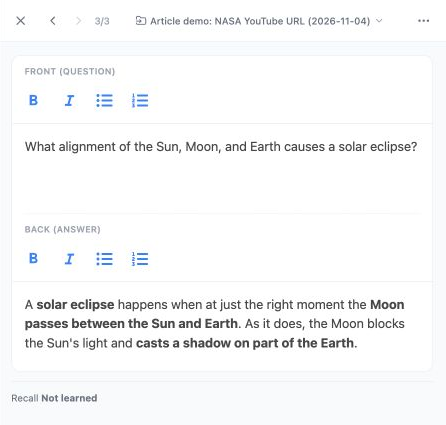
To try the same route with suitable material, choose Create → YouTube, enter the URL, then inspect the generated candidates before choosing Create deck and save. Keep the original video or an authoritative transcript beside you. If processing fails or a detail is missing, the checked-text route below remains an option.
A worked example with three source-linked cards
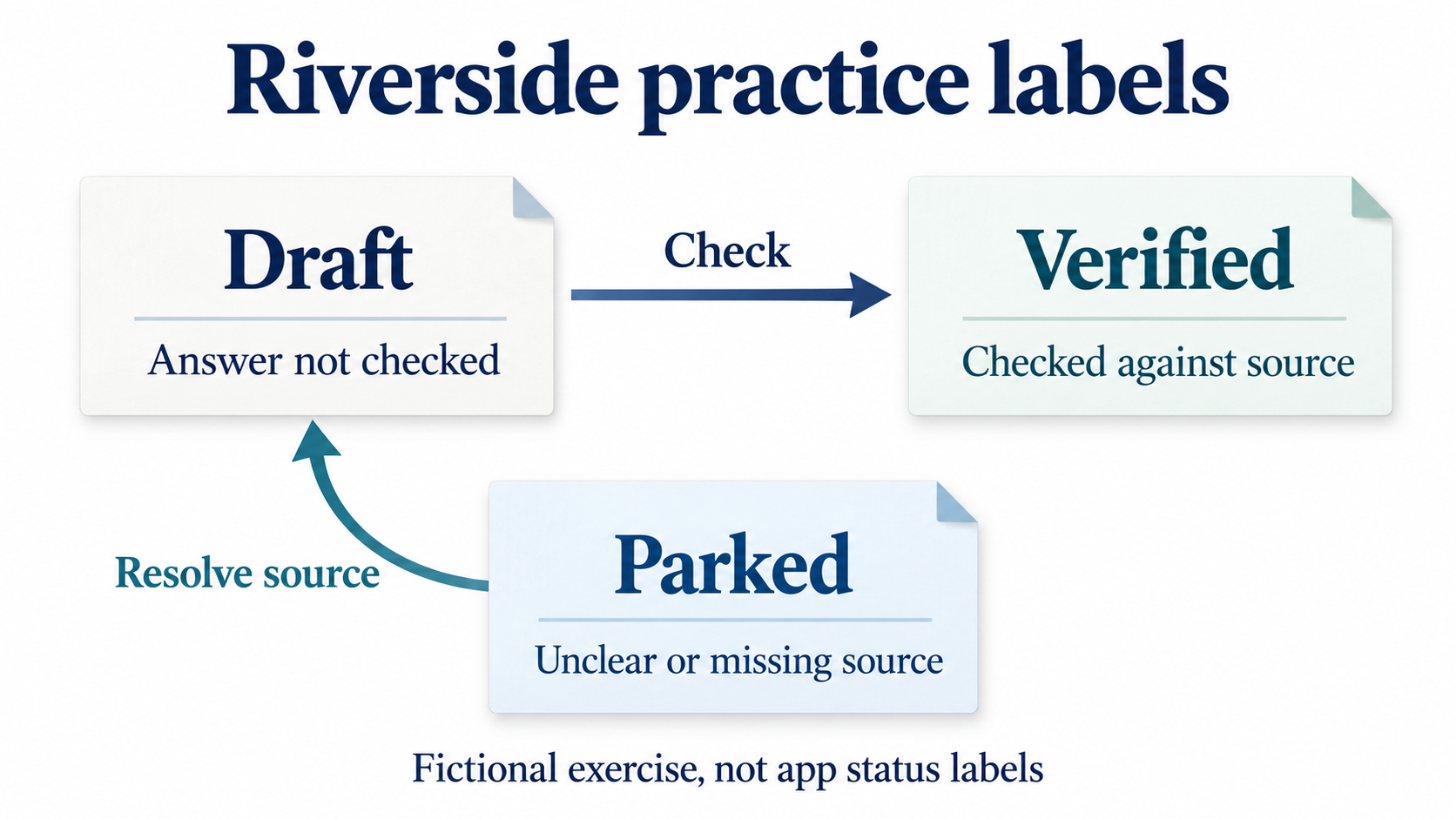
The following mini-lesson is original, fictional material written for this article. Riverside is an invented study club. Its three labels are local rules for this exercise, not standard assessment categories. The times are section markers in our written script; they were not extracted from a YouTube video.
[00:00] A draft is a proposed flashcard whose answer has not yet been checked against its source. Generating a card does not make it verified. [00:20] A verified card has an answer checked against the source, including any condition that changes the answer. Record the source section beside the card. [00:40] A parked card has an unclear answer or a missing source. Leave it out of the review set until you can resolve the uncertainty. Do not invent an answer to fill the gap.
These are our authored reference cards. They give you a small answer key for checking an AI-generated set, rather than a claim that every run will produce identical wording.
| Question | Checked answer and source |
|---|---|
| In Riverside’s routine, what makes a card a draft? | Its answer has not yet been checked against the source. Source: 00:00 |
| What must be checked before a Riverside card is verified? | The answer and any condition that changes it, against the source. Source: 00:20 |
| What should happen to a parked card? | Keep it out of the review set until its unclear answer or missing source is resolved. Source: 00:40 |
Download the original script or the three reference cards as UTF-8 TSV. The TSV is an authored sample with a question and answer in each row, including the source marker in the answer. It is not an export of a YouTube video or a learner’s review history.
From checked source text to a saved Memly deck
Memly’s English web interface includes both YouTube and Text source options. For the reproducible example here, we used Text with the original script above. The screenshot of a YouTube URL field shows the input option only; it does not demonstrate a completed video import.
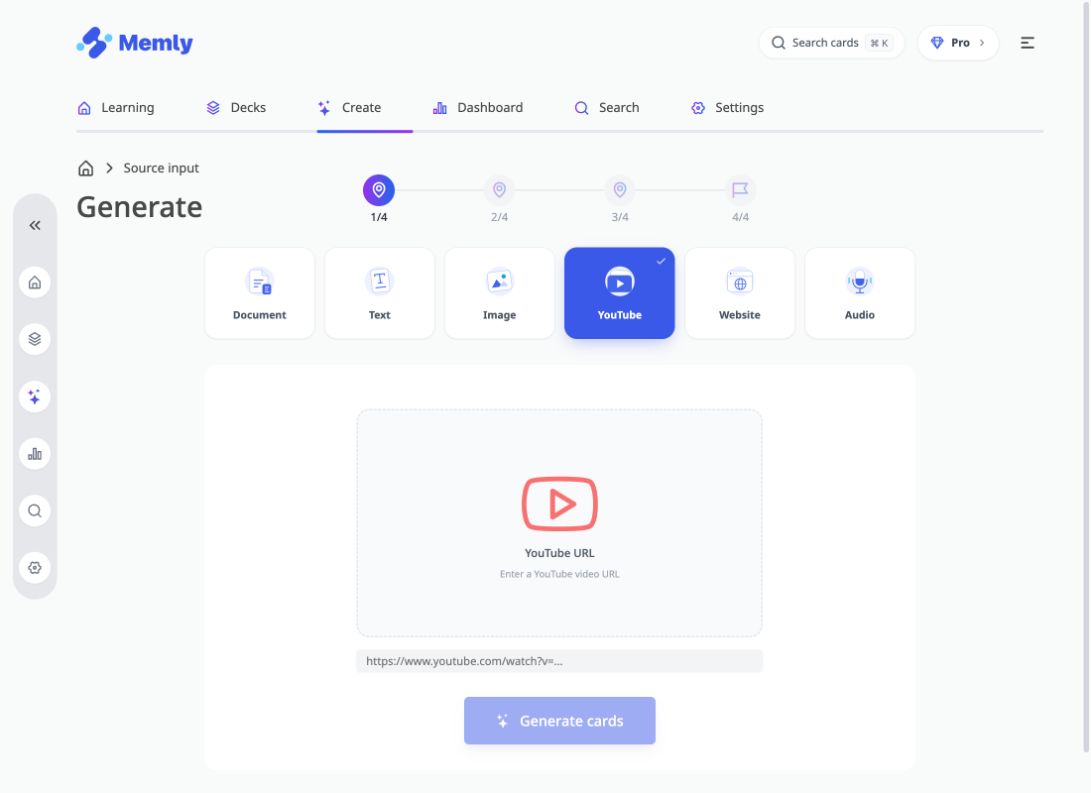
- Open Create, choose Text, and paste the source passage.
- Choose a small card count and set the generation language to English. We requested three cards, one for each club label.
- Ask the tool to retain the source marker and the condition that changes an answer. Do not ask it to fill missing evidence from general knowledge.
- Compare each candidate with the source. Correct a misleading question or answer before saving it.
- Save the checked cards to a separate deck, then reopen the deck to confirm the questions and answers are there.
A useful instruction for this example is: “Create one card for each of our three club labels: draft, verified, parked. Keep the distinction and the relevant source section in each answer. Use only this fictional source.” These labels keep the task narrow; they do not guarantee that the generated text will preserve every condition correctly.
Taking checked questions to Anki
If you prefer Anki, a plain-text route gives you control over the questions before import. The official Anki manual documents UTF-8 files whose fields are separated by tabs, commas or semicolons. It also describes previewing the separator and mapping fields to a note type.
For our two-column TSV, choose a Basic note type, map the first field to Front and the second to Back, and confirm that the preview shows one complete question and answer per row. Use a separate test deck first. Our file has no column-heading row, so there is no heading to import as an extra note. This is a documented text-import workflow, not a claim that Anki has a built-in YouTube downloader or that a video URL is a deck file.
Check the imported note count and open each card. Blank backs, split sentences or a source marker in the wrong field are reasons to fix the file before making a larger batch. The sample carries card text only; it contains no images, audio, scheduling data or past reviews.
Review the card before replaying the lecture
Hide the answer and try to say it in your own words. Then reveal it and compare the important distinction. In the Riverside example, “AI made it” does not explain why a card is verified: the source check is the point. If you miss that condition, revisit the relevant passage and tighten the question rather than simply making more cards.
Keep source references even after the wording feels familiar. They help you repair a disputed answer and return to a visual explanation. For a broader routine around pausing and recalling a video, see how to study with video lectures.
Questions about YouTube flashcards
Can I make cards when a video has no transcript?
Yes, from your own notes or another source you are allowed to use. Check them against the video or course material. A missing transcript is not a reason to invent what the lecturer said.
Should every sentence become a flashcard?
No. Choose questions that test a useful distinction, definition or step. A sentence that merely introduces the next topic may need no card. A dense explanation may need several questions, each with enough context to stand on its own.
Does a transcript include diagrams and equations?
It represents captioned speech. Inspect visual material separately, especially when the explanation depends on positions, symbols or a worked example. Do not assume the caption text contains everything shown.
Was direct YouTube import verified for this example?
Yes, for the NASA Space Place video described above: direct URL input, generation, saving, and reopening all three cards were verified on November 4, 2026. The Riverside exercise uses our separate original text script. Neither run guarantees that another video will process or that every generated answer will be correct.
Start with one source passage and one question whose answer you can check. Save it, close the source, and try the question. For the wider workflow, read our guide to AI-assisted flashcard learning or open Memly with your own material.
