


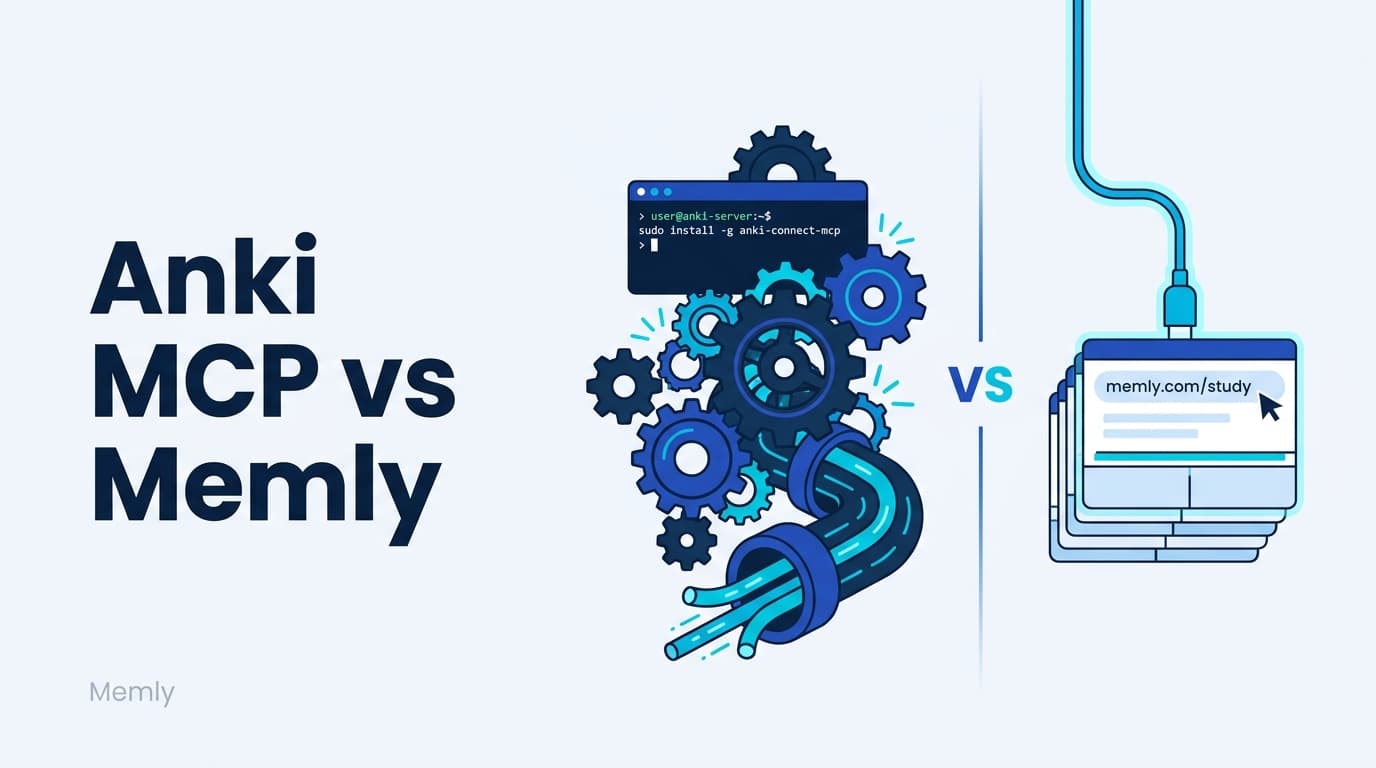
Anki MCP is a third-party, open-source server that requires a running local Anki plus the AnkiConnect add-on, and a tunnel like ngrok to use it with web AI clients. Memly MCP is an official remote MCP: enter one URL, https://app.memly.ai/mcp, authorize with OAuth (the standard sign-in flow used by Google and other services), and you are done. No local server, no tunnel, and cards you save are reviewed across web and mobile with FSRS, the spaced-repetition algorithm that schedules each card just before you would forget it. Choose Anki MCP to keep an existing local Anki library; choose Memly MCP for the least setup and a seamless AI workflow.
"I just want the flashcards I made in Claude or ChatGPT to land in my flashcard app." Many people who reach Anki MCP with that goal then stall before they ever study: installing AnkiConnect, running a local server, configuring ngrok so it works with browser-based AI tools. When the integration is the obstacle, the cards end up abandoned in the chat window anyway.
The two tools reach that goal from opposite directions. One keeps everything on your own machine and asks you to assemble it. The other lives in the cloud and asks you to hand it your cards, and which trade you prefer is the whole decision.
What is Anki MCP, and what does it require
Anki MCP is a third-party, open-source MCP server (with several implementations such as ankimcp.ai and Clanki) that lets AI assistants operate Anki flashcards through MCP. Ask in plain language and the AI can create, edit, and fetch cards in Anki.
It is free and runs locally, which is a real strength. But it has prerequisites:
- Anki itself (2.1.x or later) installed and running
- The AnkiConnect add-on installed and listening locally
- Often launching the server via npx @ankimcp/anki-mcp-server or similar
- For ChatGPT on the web or Claude.ai, exposing the local server temporarily with ngrok (some builds bundle a --ngrok flag)
Three things people get stuck on with Anki MCP
None of the three is hard on its own. They are hard on a Tuesday night when you sat down meaning to study.
1. Local environment and keeping it running
You install Anki and AnkiConnect, start the MCP server, and keep them running. Whenever your PC is asleep or AnkiConnect stops responding, the integration stops.
2. A tunnel is needed for web AI
To reach a locally running Anki MCP from ChatGPT in the cloud or Claude.ai, you set up a tunnel like ngrok to expose the local server, which adds URL management and security considerations.
3. Developer-oriented setup
It assumes you are comfortable running commands and editing config files, which puts the initial setup out of reach for most non-engineers. For those who do work that way, the same openness is what makes it flexible.
Anki MCP vs Memly MCP at a glance
Even for the same goal of "import AI-made cards via MCP," the two designs differ sharply.
| Item | Anki MCP | Memly MCP |
|---|---|---|
| Provider | Third-party / open source | Official (Memly) |
| Connection | Local (via AnkiConnect) | Remote MCP (URL + OAuth) |
| What you need | Anki + AnkiConnect + kept running | A Memly account |
| Web AI integration | Expose local via ngrok | Enter one URL |
| Supported AI | Desktop-focused; web needs a tunnel | Claude / ChatGPT Remote MCP |
| Review algorithm | Anki (FSRS/SM-2, app settings) | FSRS (cloud) |
| Cross-device sync | Depends on Anki sync | Cloud sync across web/mobile |
| Pricing | Free / open source | Free (read) + Plus/Pro (write) |
| Data storage | On your device | Memly cloud |
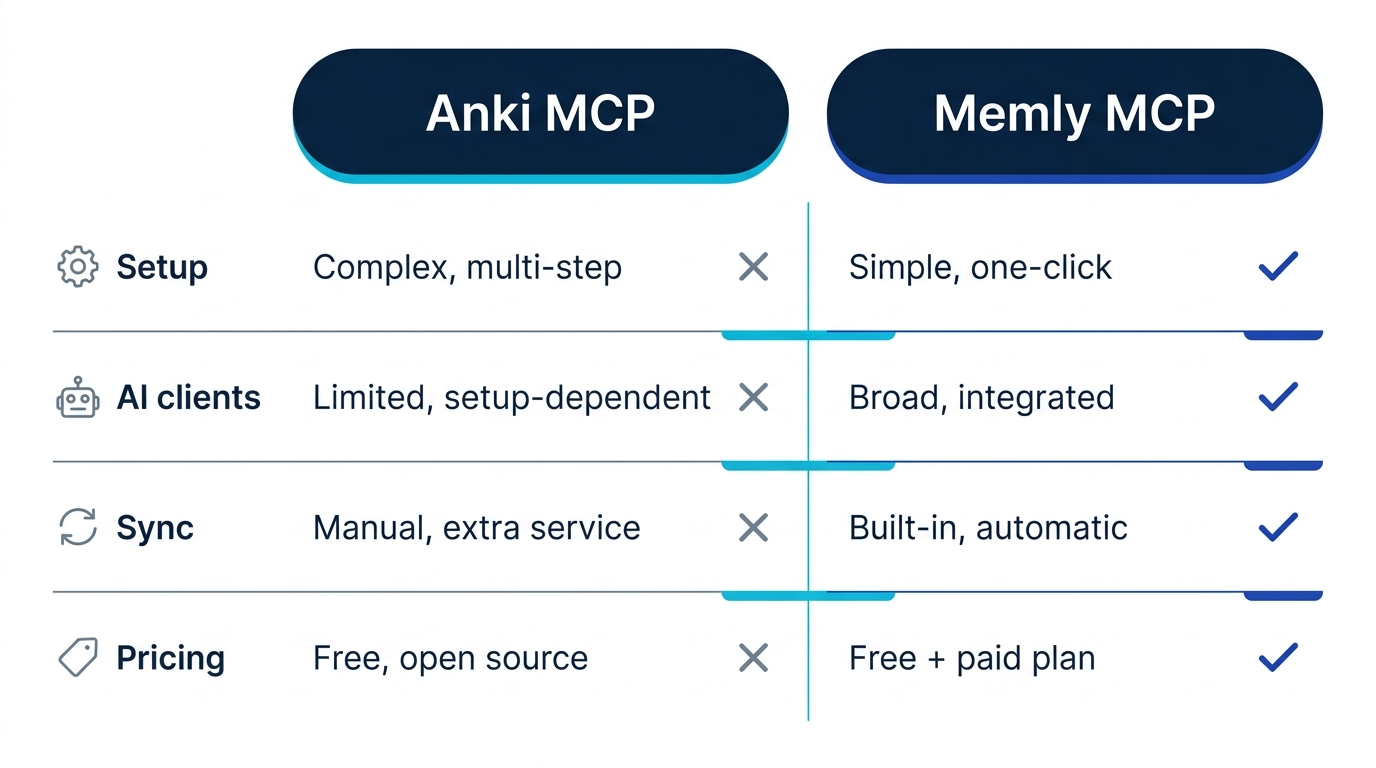
One row drives most of the others. Once the cards live on your own machine rather than in a cloud, the tunnel, the sync question, and the pricing shape all follow from that single choice.
Setup difference: local build vs one URL
The biggest gap is the connection setup, and the step counts show it.
| Step | Anki MCP (with web AI) | Memly MCP |
|---|---|---|
| 1 | Install and launch Anki | Sign in to Memly |
| 2 | Install the AnkiConnect add-on | Enter URL https://app.memly.ai/mcp in the AI |
| 3 | Start the MCP server (npx, etc.) | Approve your account via OAuth |
| 4 | Expose the local server with ngrok | Done (list_decks/import_flashcards appear) |
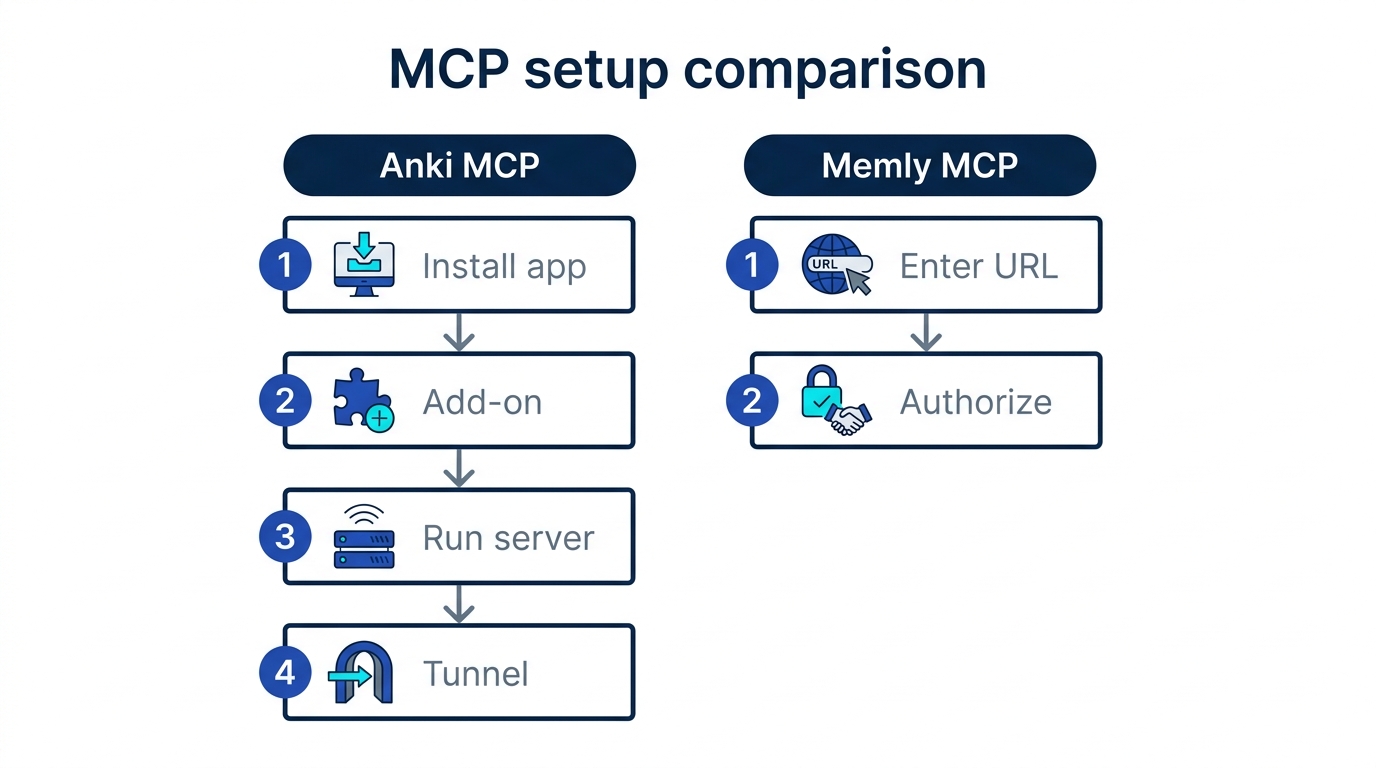
Because Memly MCP is a cloud remote MCP server, there is no local launch and no tunnel. Enter the URL, approve via OAuth, and you can save cards from the AI immediately. Memly's detailed steps are on the Memly MCP setup guide, and the full picture is in Memly MCP: save flashcards from Claude and ChatGPT into your deck.
Review experience: FSRS across devices
The experience after importing differs too. Anki MCP depends on Anki's own review, so it follows your Anki settings and routine. Cards saved through Memly MCP land in Memly's cloud, where FSRS schedules each one and your progress stays in sync across the web app and mobile.
Reviewing on your phone during a commute and on your PC at home, picking up where you left off, is the strength of Memly's cloud sync model. How FSRS works is covered in the FSRS 6.0 deep dive.
Pricing and data handling
Anki MCP is free and open source, and data stays on your device. That is a real advantage if you do not want to hand cards to an external service or already have a large Anki library.
Memly keeps viewing decks and cards free and charges for writes (add, edit, delete, restore) on Plus/Pro, and it stores your cards in its own cloud. In return, it works from any device with no setup and ships AI integration as standard. It is not free vs paid, but a choice between "owning your own environment" and "zero-setup convenience plus sync."
Which should you choose
It comes down to what you already have and how much setup you will tolerate:
- Anki MCP fits you if: you already run large Anki decks, you want data kept local, and you are comfortable with commands and config files
- Memly MCP fits you if: you do not want to spend time on setup, you want to use Claude or ChatGPT in your browser, you want to sync review across phone and PC, and you want AI-generated cards to flow straight into FSRS review in one seamless workflow
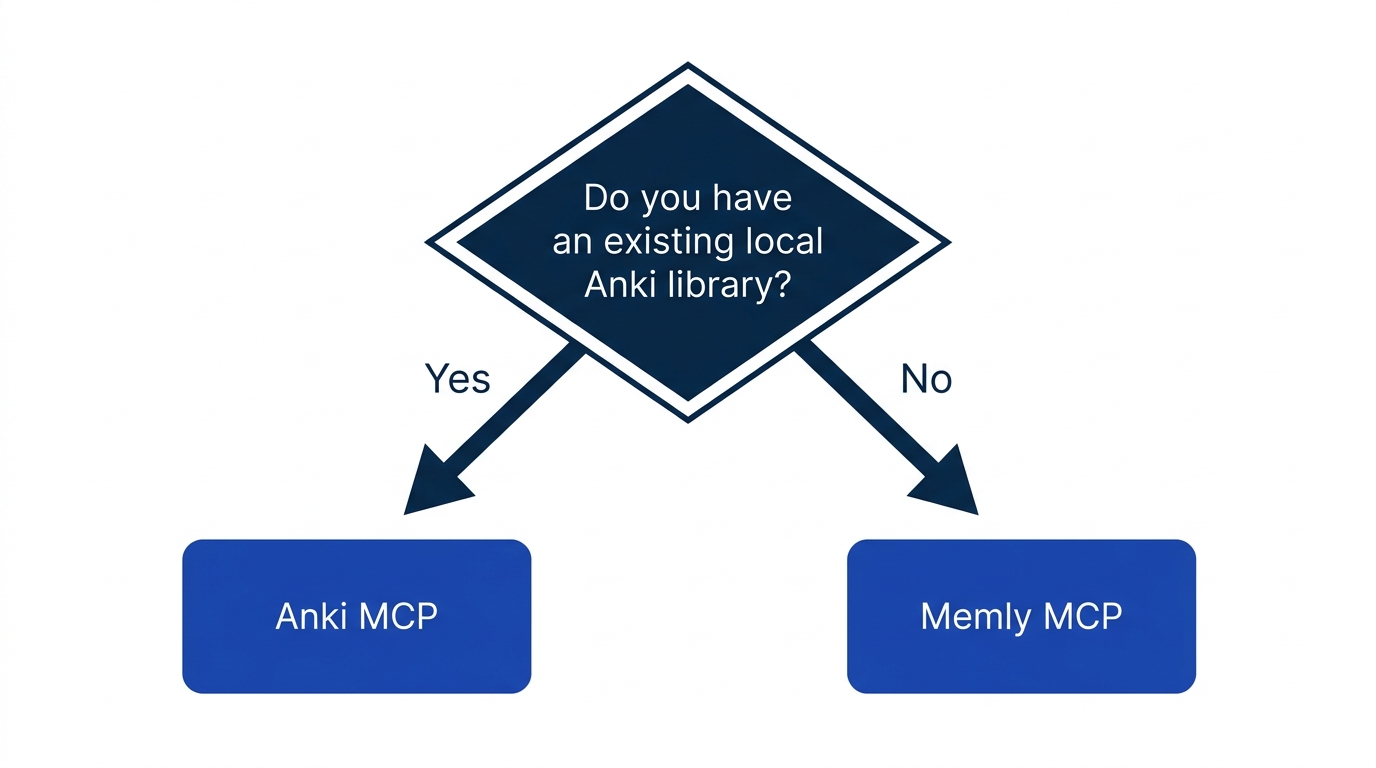
If you find Anki itself difficult, it is worth reconsidering app fit before MCP. The Memly vs Anki comparison can help you decide.
How to try Memly MCP
Trying Memly MCP needs no local environment. You can connect in minutes:
- Create a Memly account and sign in (free for viewing)
- In Claude's or ChatGPT's connector settings, enter https://app.memly.ai/mcp
- Approve your Memly account on the OAuth screen
- Ask the AI to "turn this into five cards and add them to my X deck" (saving requires Plus/Pro)
Frequently asked questions
Is Anki MCP free and Memly MCP paid?
Anki MCP is free and open source. Memly is also free for viewing (searching and showing decks and cards); only writes (add, edit, delete) require Plus or Pro.
Can I use web ChatGPT?
Anki MCP is local, so it needs a tunnel. Memly is remote, so a Remote-MCP-capable ChatGPT can connect with just a URL. Because ChatGPT's scope depends on plan and environment, Claude is the surest way to try it.
Conclusion: remove "stuck at setup"
Anki MCP is strong on flexibility and ownership and excellent for seasoned Anki users. But there is a setup gate before you can study. Memly MCP removes that gate and connects AI to Memly with a single URL.
Cards made in a chat, landing in a flashcard app: that was the whole wish, and it only pays off once something brings those cards back to you before you forget them. For the fastest way to connect AI-generated cards to FSRS review, open the Memly MCP setup guide and connect Memly's URL to Claude. You can create an account for free and try the connection without entering payment details. For the full picture of AI-assisted memorization, see the AI flashcard app guide.
